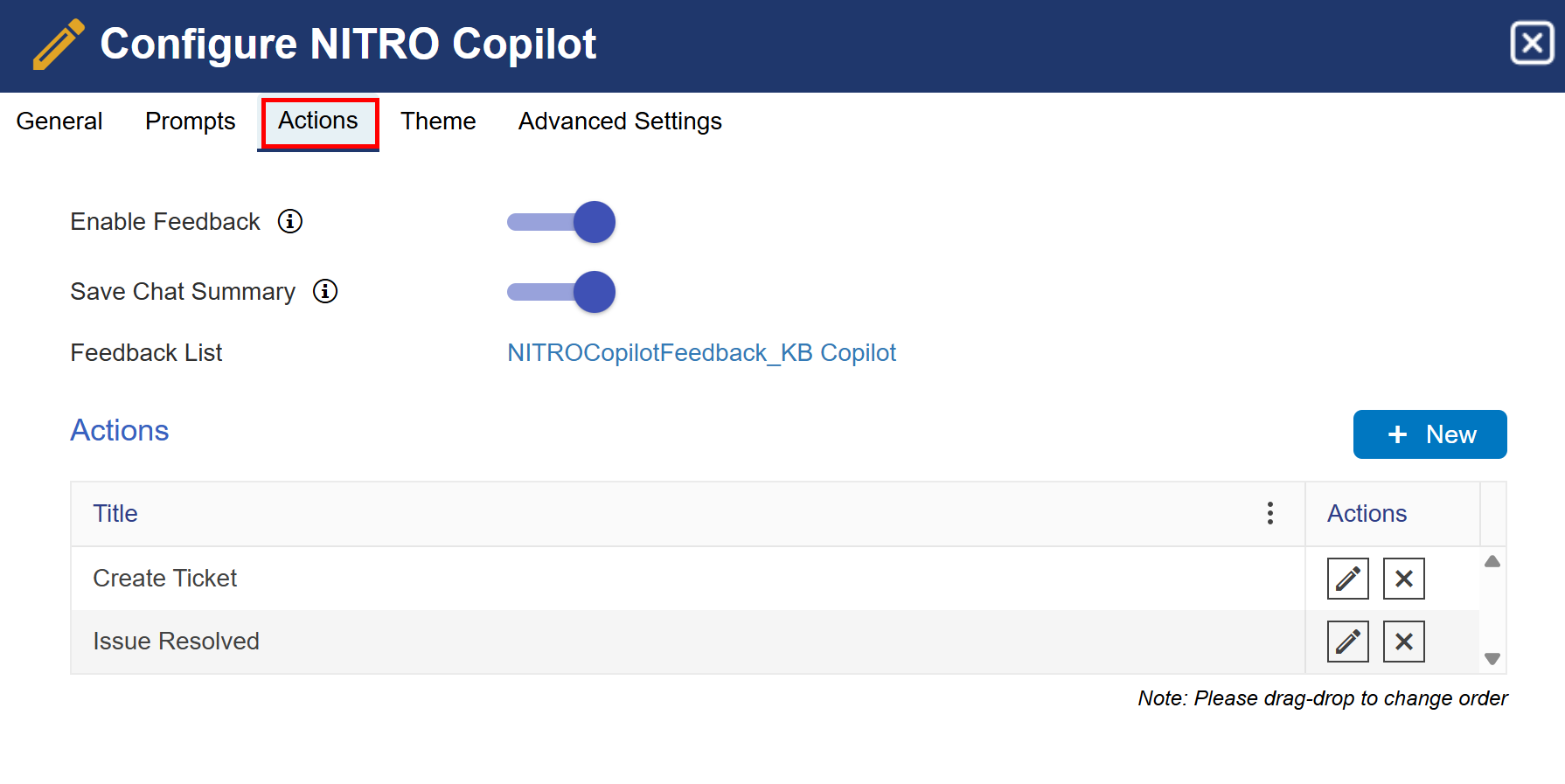
Enable Feedback: Enables users to give feedback rating for the conversation. This feedback is stored in a list and can be used by admins to analyze the effectiveness of the copilot. Knowledge-based content can be added and improved based on the types of queries asked by the users.
Save Chat Summary: Enable this setting to copy the conversation along with the feedback.
Feedback List: The feedback list will be created automatically when we save the copilot settings. All the feedback will be saved in this list.
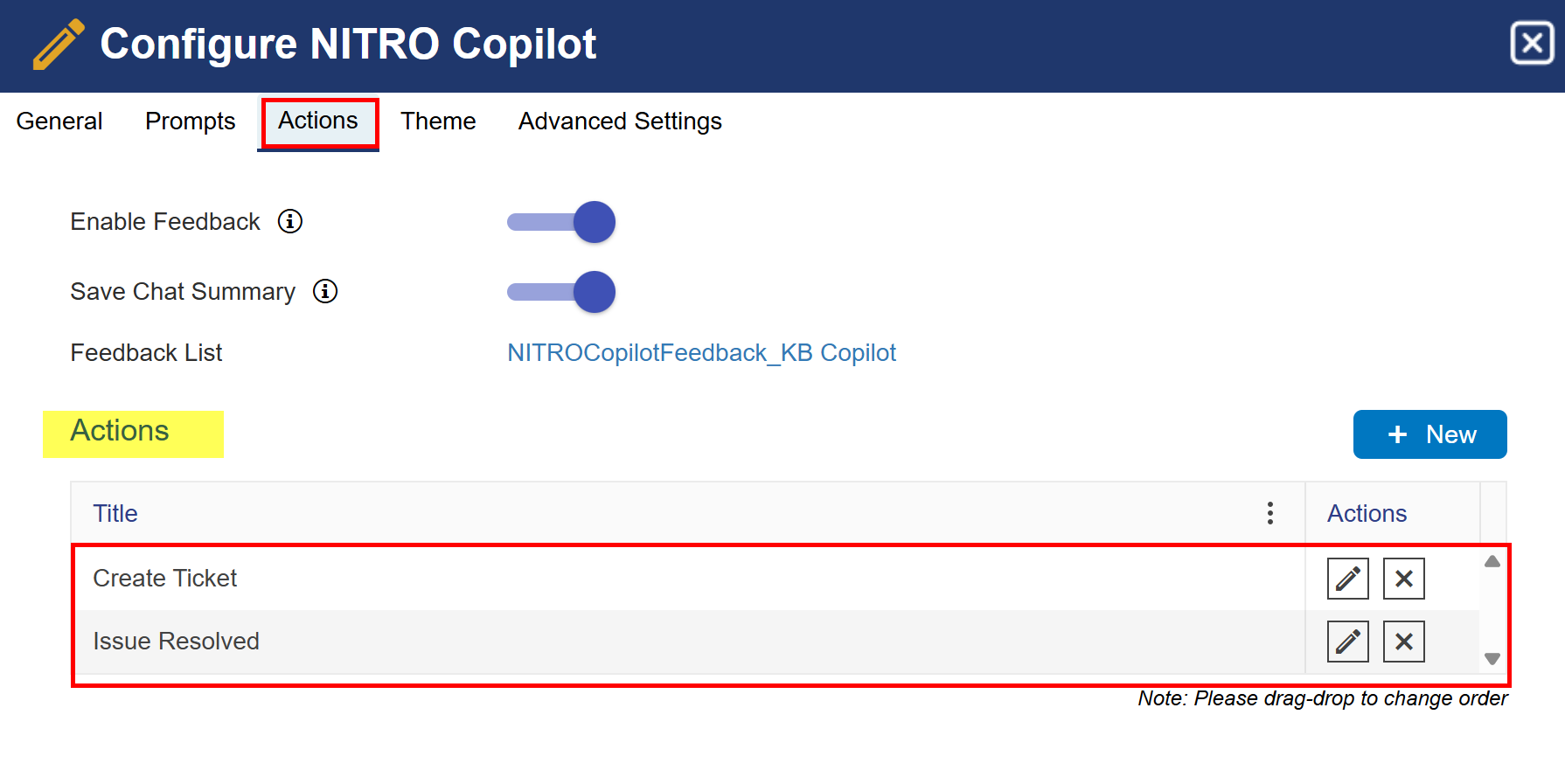
Actions:
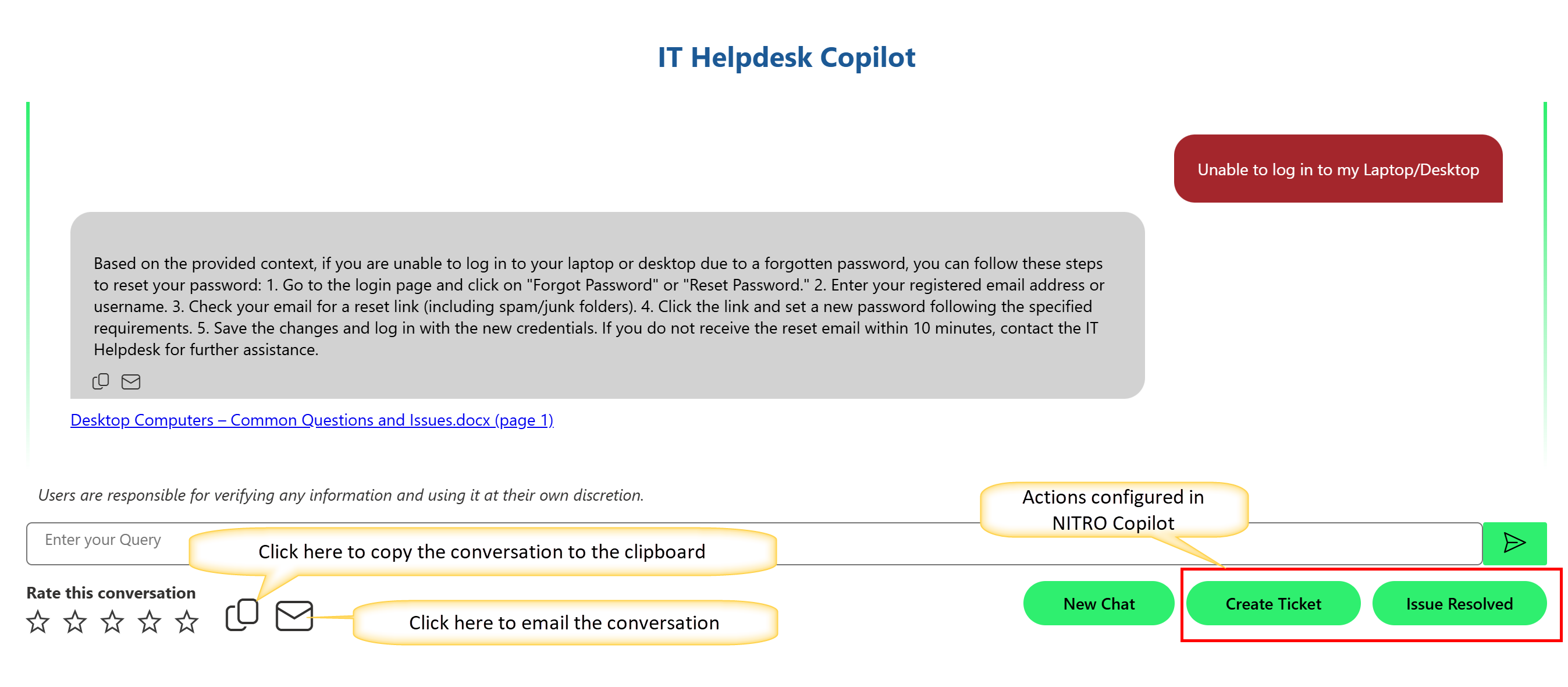
Configure actions to escalate the request to the helpdesk if user query is not resolved by the copilot.
Create Ticket Action:
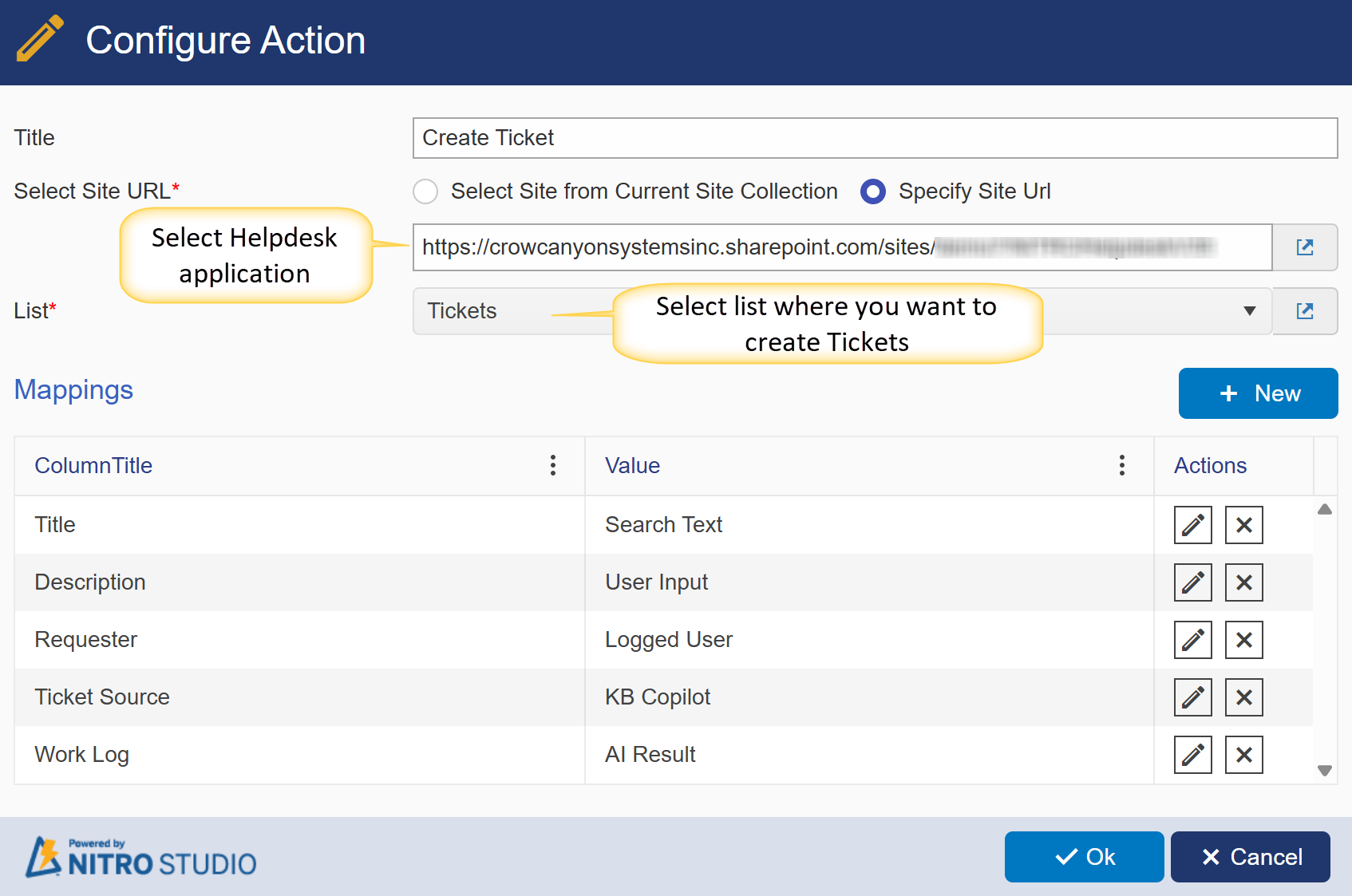
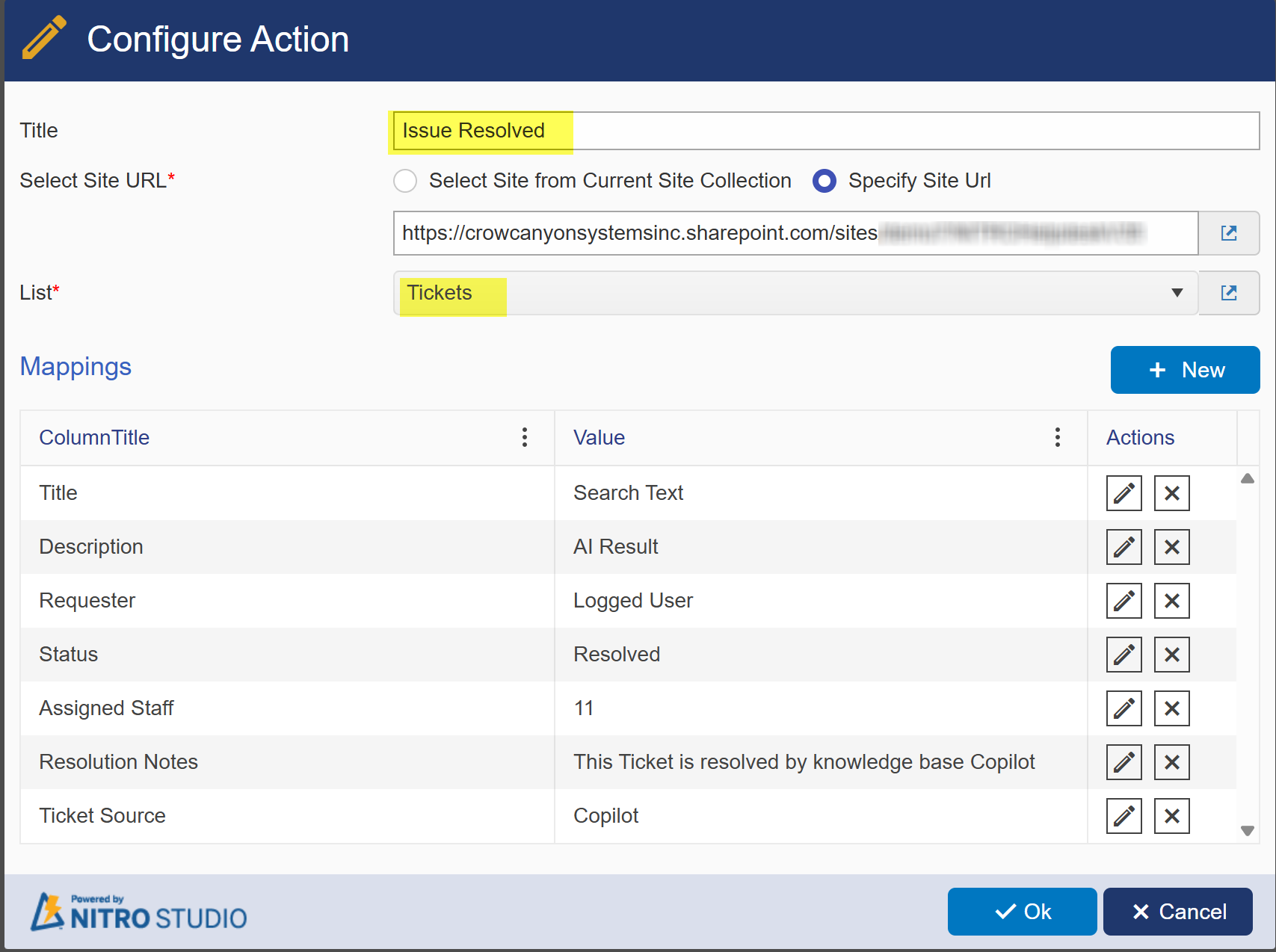
Click ‘New’ to map field values:
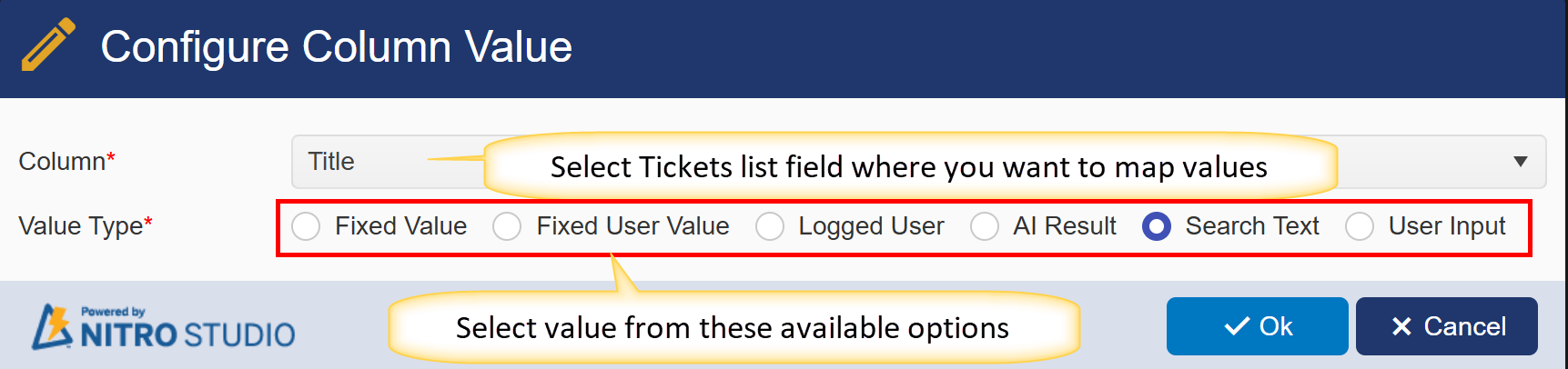
Example:
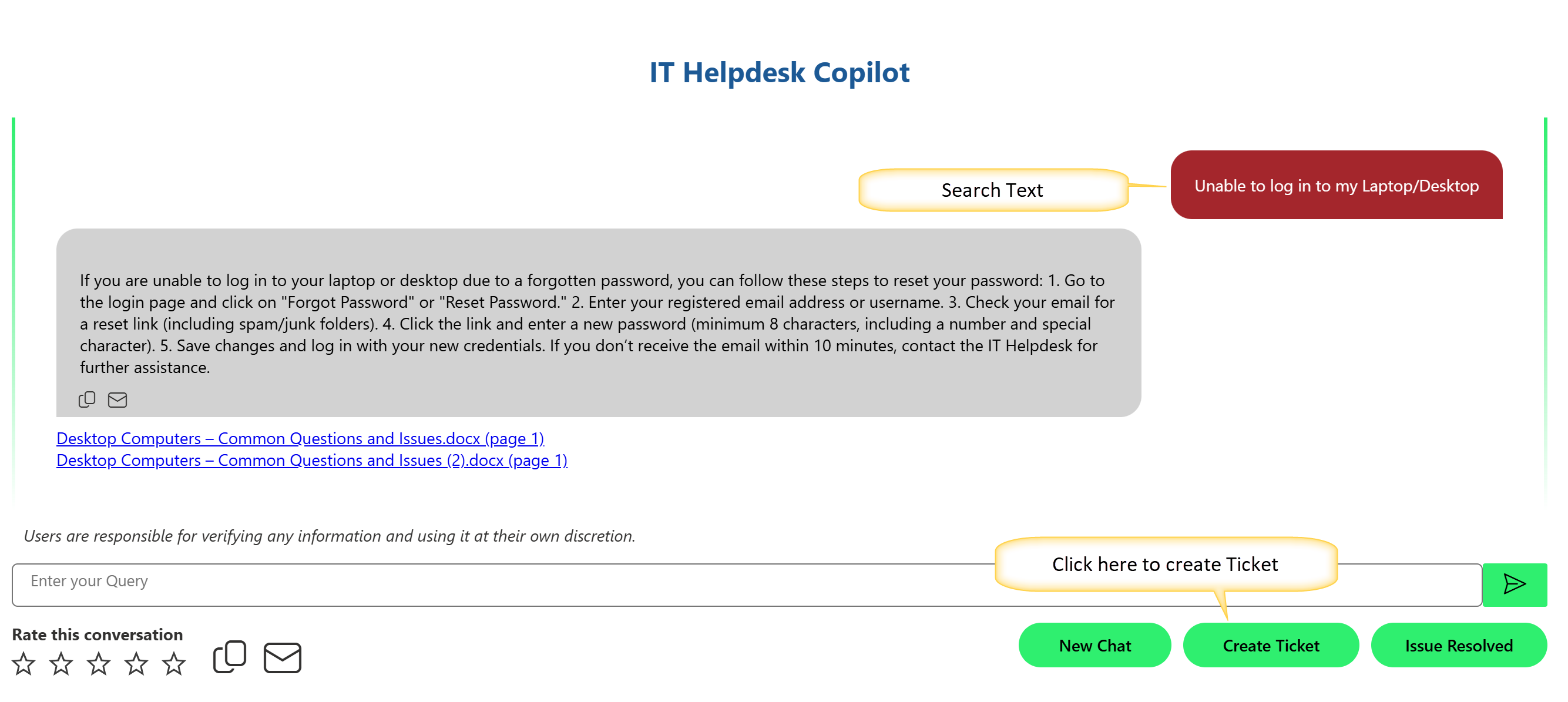
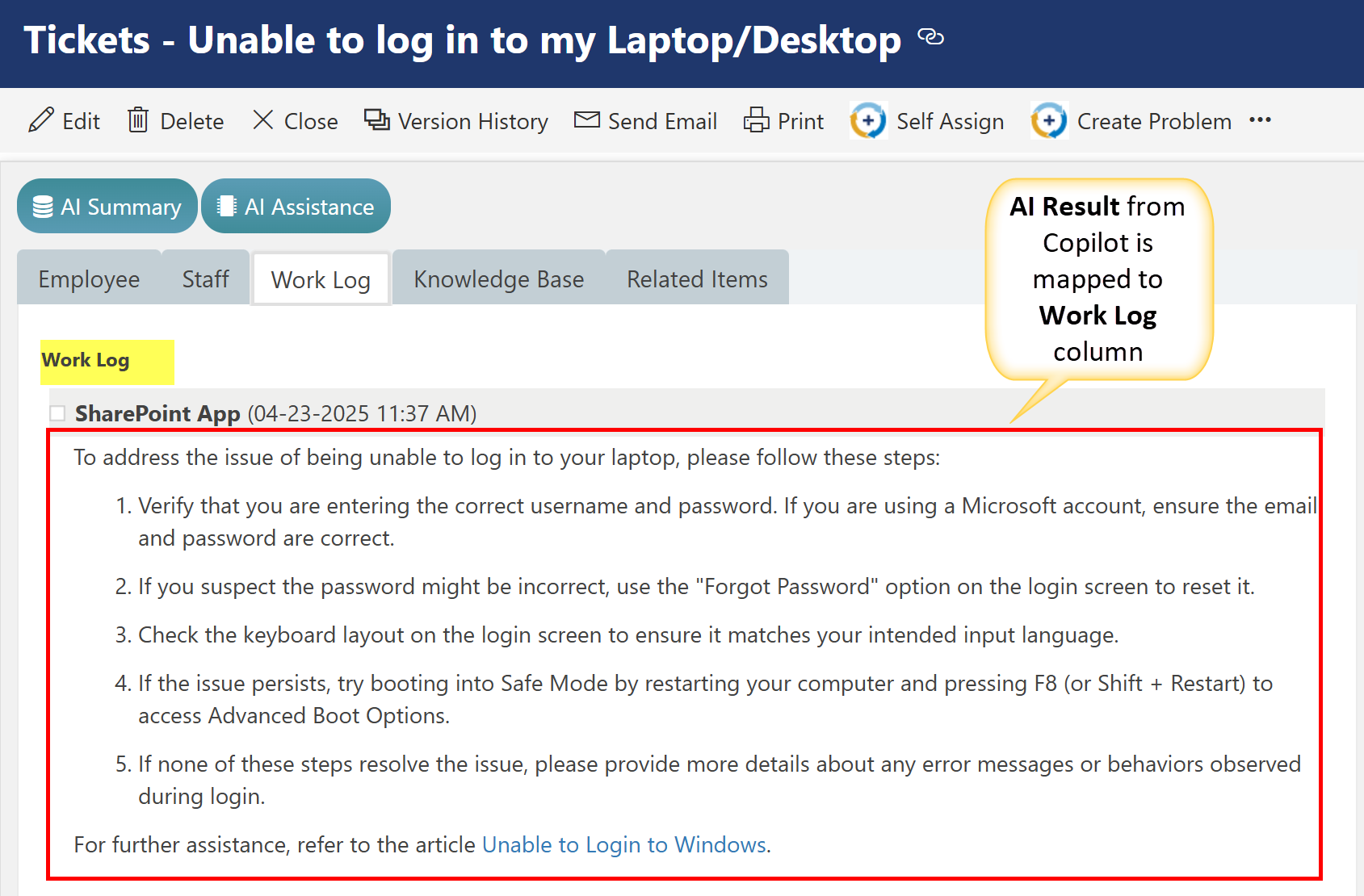
User Search Query: Unable to log in to my Laptop/Desktop
If the user doesn't find a suitable response after searching, they can click the 'Create Ticket' button to submit a new request.
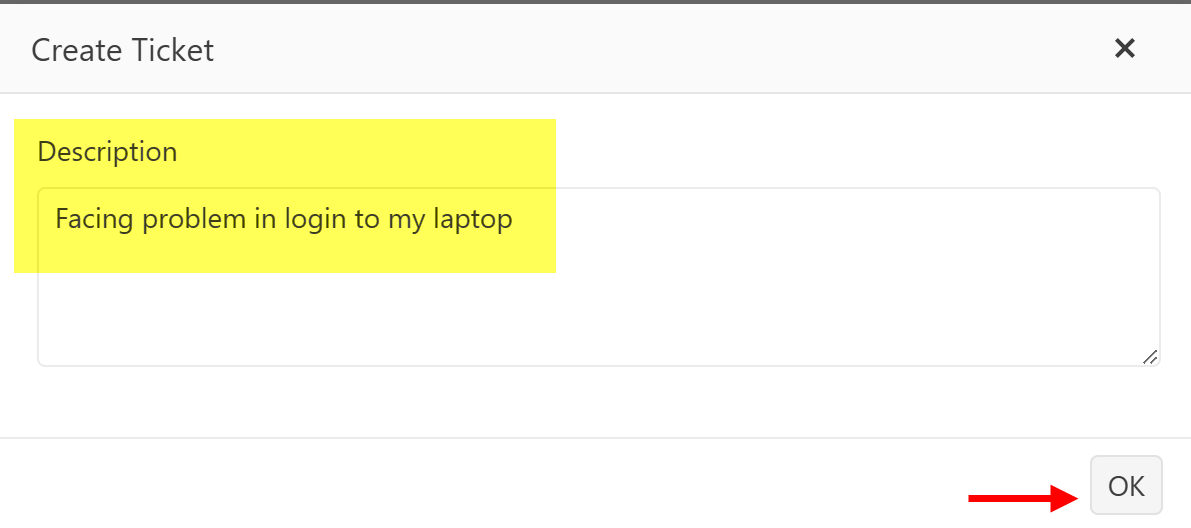
Enter Description in popup window and click ok to create a Ticket.
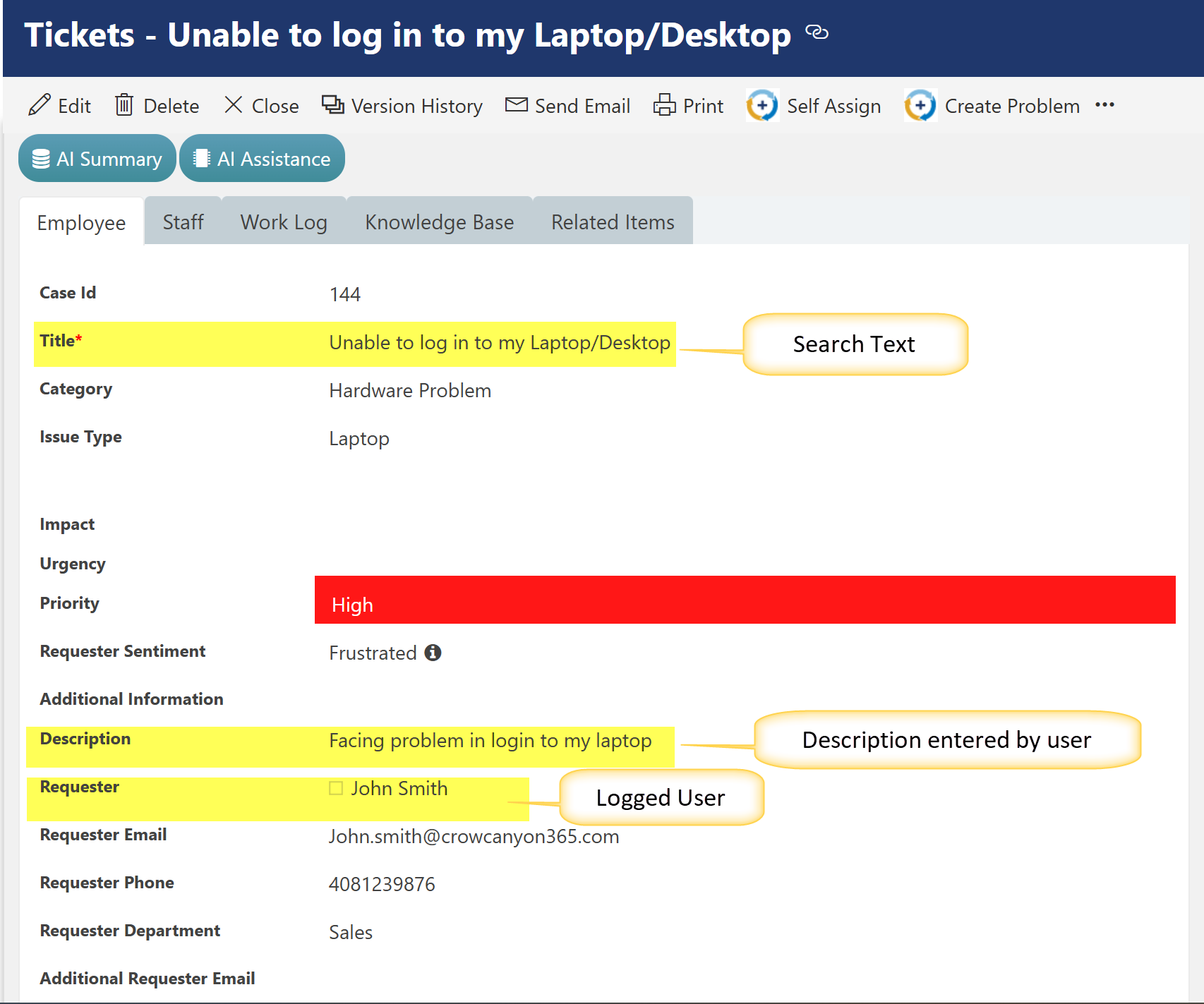
Below Ticket will be created in Tickets list in Helpdesk Application.
Issue Resolved
Sample Output: