To open the CR - Staff - Workspace page, follow these steps:
1.Go to the Home Page of the site.
2.In the Quick Launch menu on the left, click on Change Requests.
3.This will open the CR - Staff - Workspace page.
The CR - Staff - Workspace page displays all your assigned Change Requests along with related reports and actions to help you manage them efficiently.
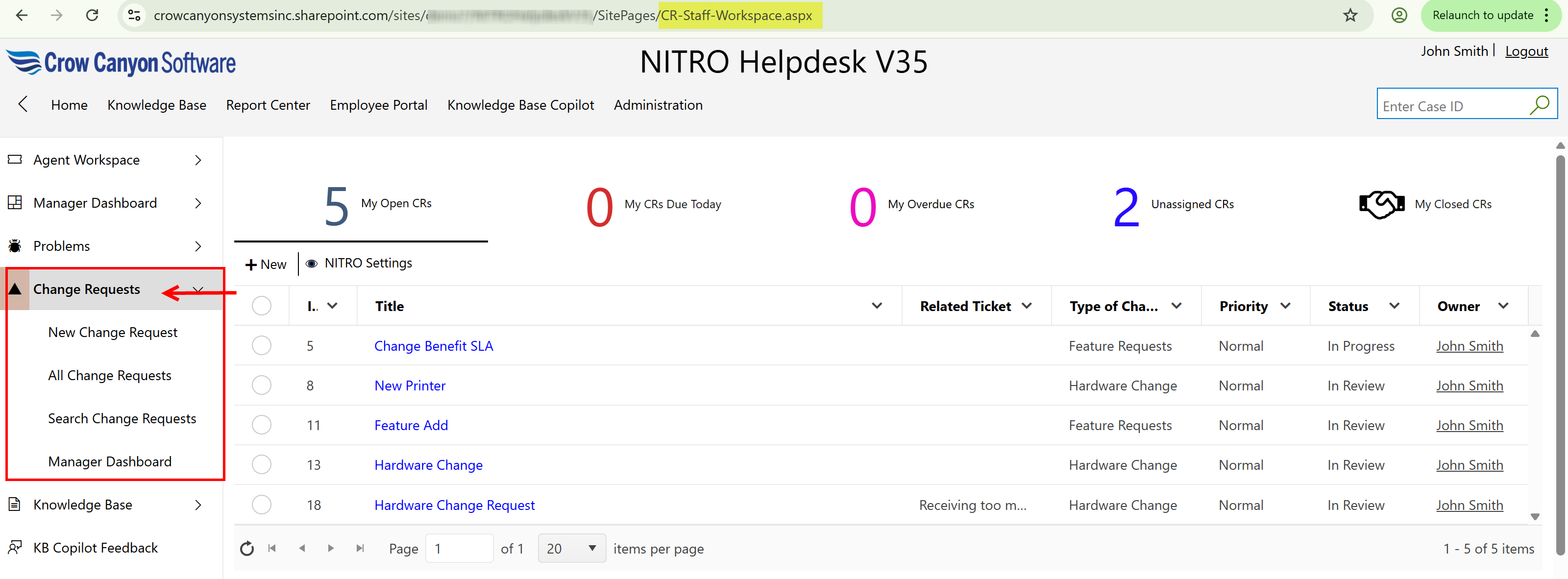
Assigned staff has the authority to see below Change Requests
•My Open CRs
•My CRs Due Today
•My Overdue CRs
•Unassigned CRs
•My Closed CRs
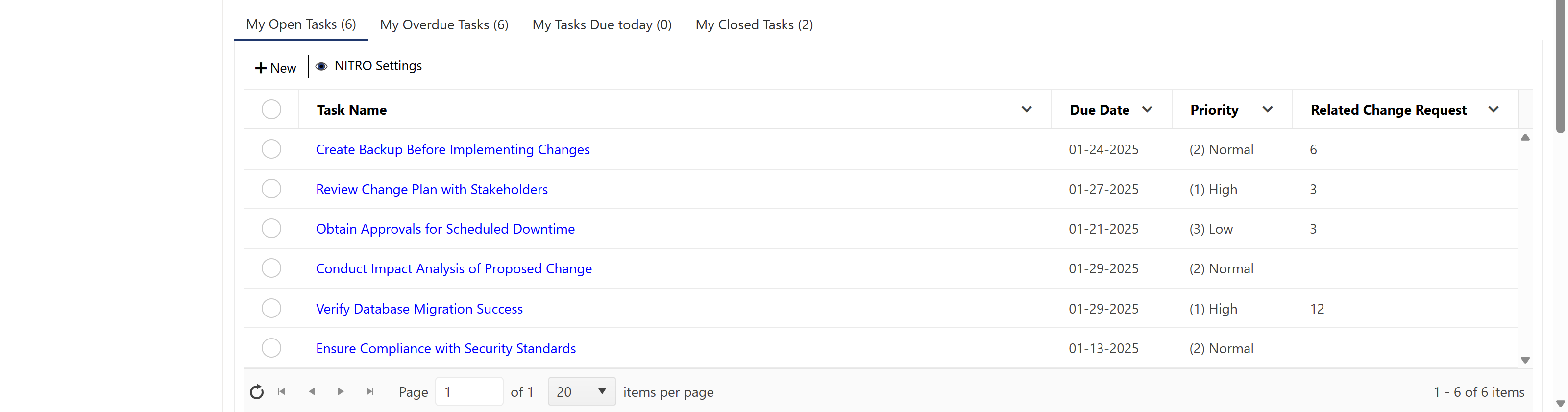
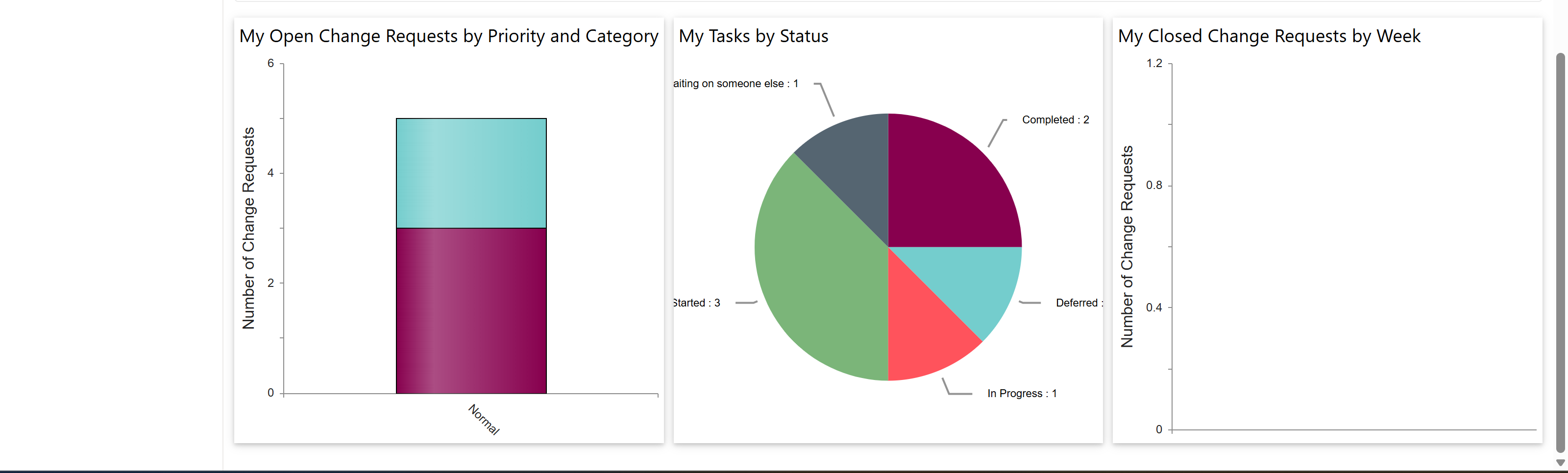
Assigned staff has the authority to see below Change Requests Tasks and Reports
•My Open Tasks
•All Overdue Tasks
•My Tasks Due Today
•My Closed Tasks
•Reports