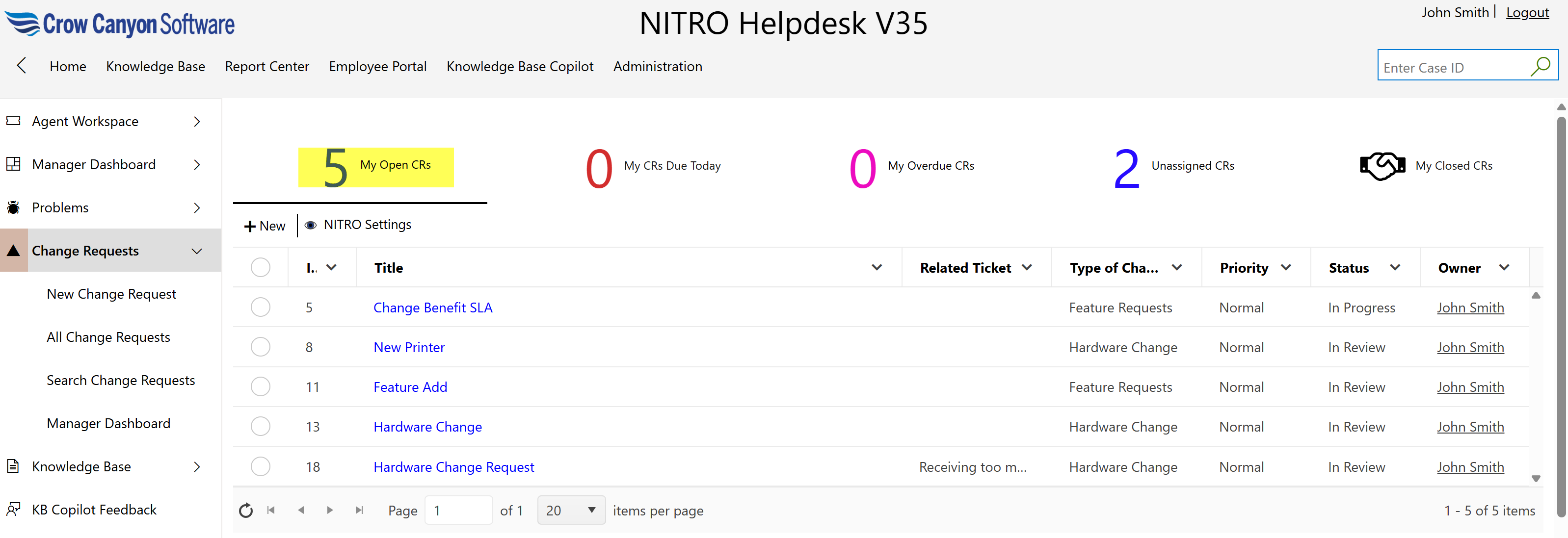
Assigned staff can easily view all the open Change Requests assigned to them by clicking on the “My Open CRs” link.
This view helps staff focus on pending tasks by displaying only the active change requests they are responsible for.
A change request undergoes an approval process.
Change Request Approval Process typically goes through below mentioned steps
1.Create Change Request: A change request is initiated and submitted. This should include the details regarding the change that is required, the reason for the request and other relevant details that can help understand the approver the impact of change.
2.Approval: The change request is reviewed by the approver and approved/denied as per assessment done. There can be multiple level of approvals required based on impact of the change. Once approved, the change request is assigned to the appropriate team to implement it.
3.Implementation: Approved change requests are assigned to the team. Team makes appropriate changes and implements it.
4.Close: Once implemented successfully or if denied then Change Request is closed.