SLA Reports: This page shows the Manager SLAs reports under below mentioned categories
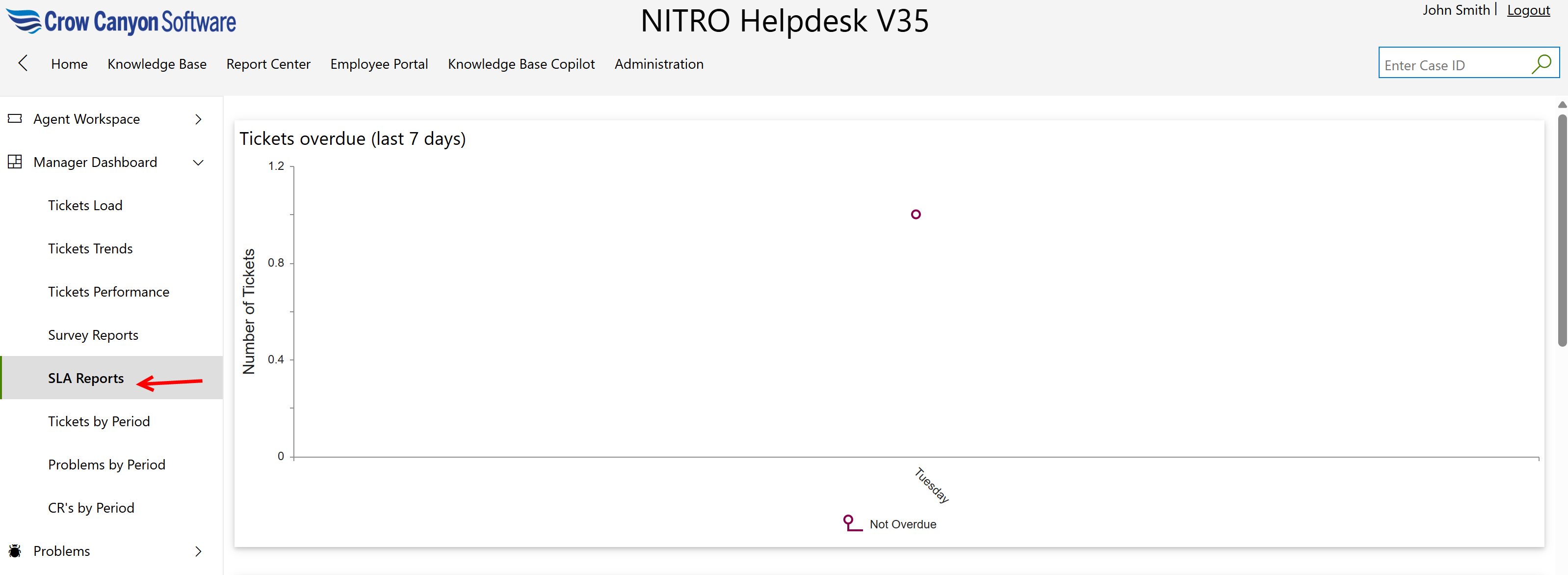
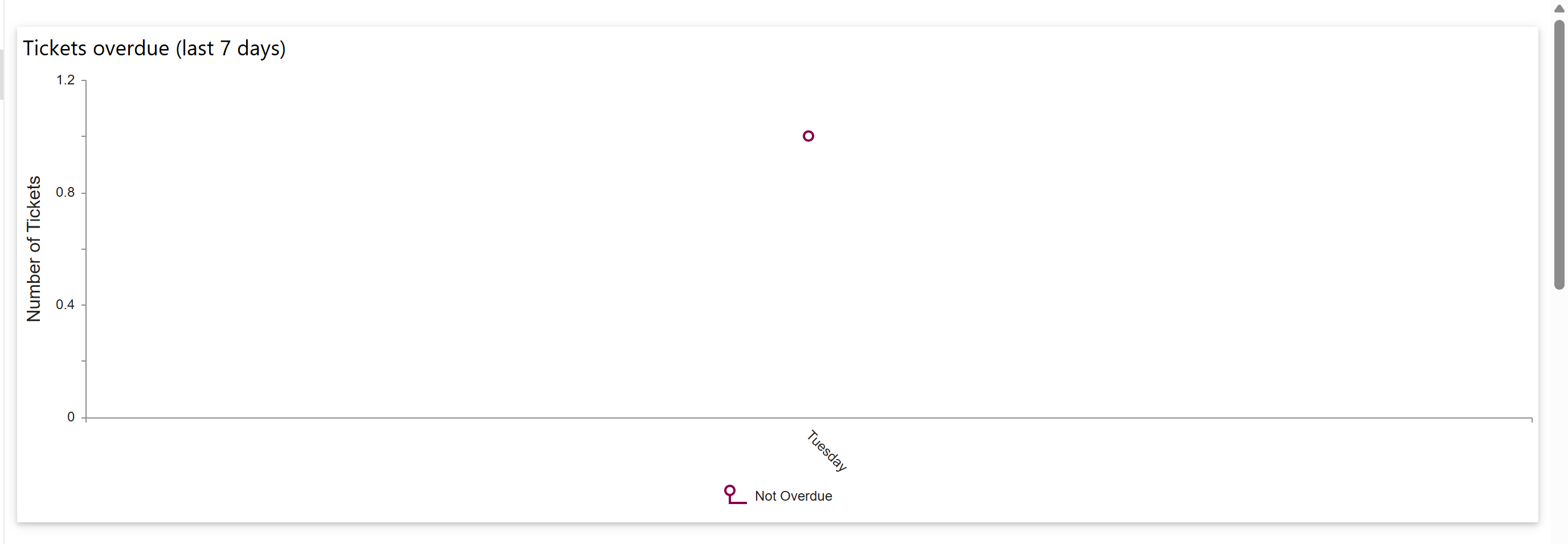
-Tickets Overdue (last 7 days): This report displays all tickets created within the last seven days, indicating which ones are overdue and which are not, based on the ‘Created’ date and the ‘SLATicketState’ status.
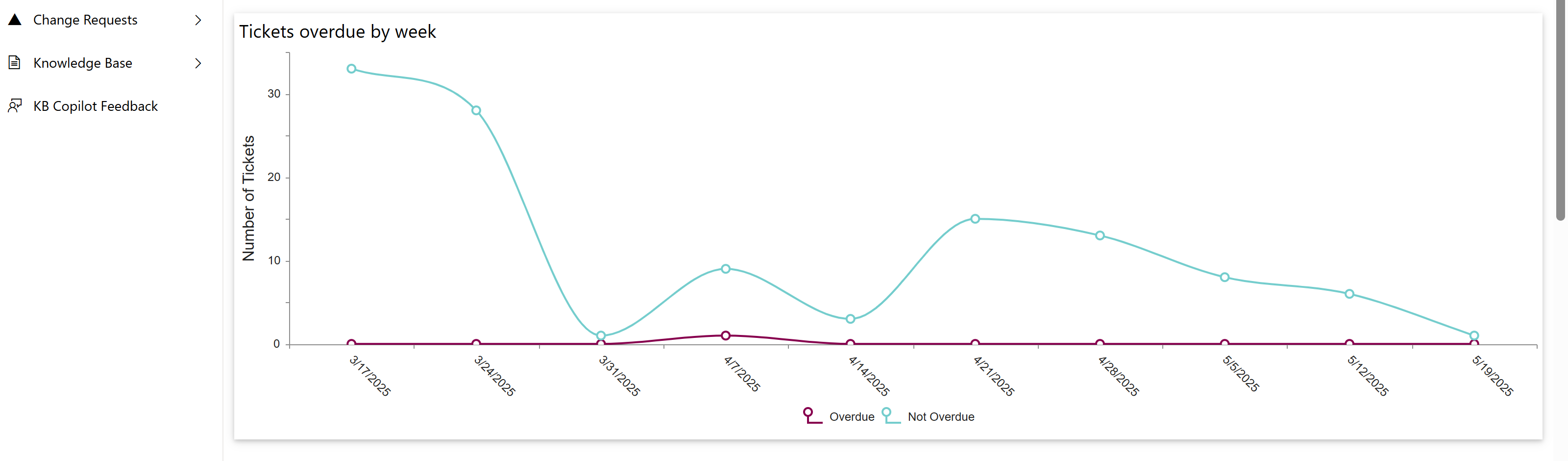
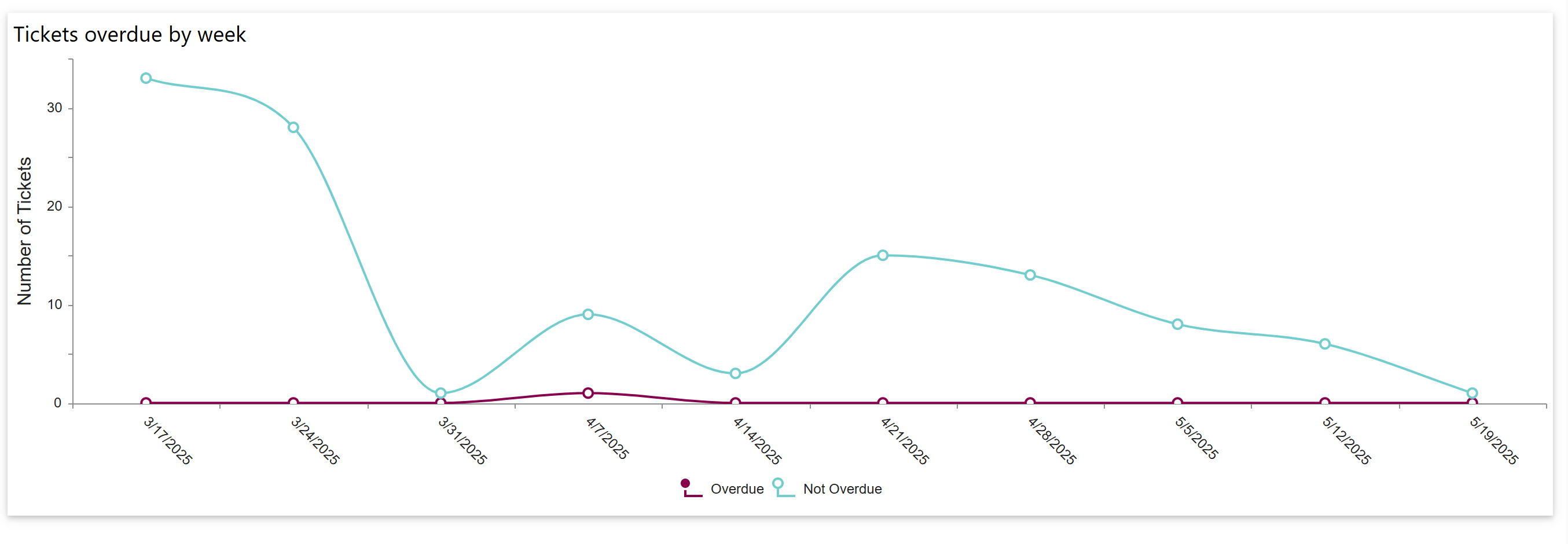
-Tickets Overdue by week: This report displays the overdue and non-overdue status of all open tickets, categorized by the ‘Week Start - Created Date’ and the ‘SLATicketState’ columns.
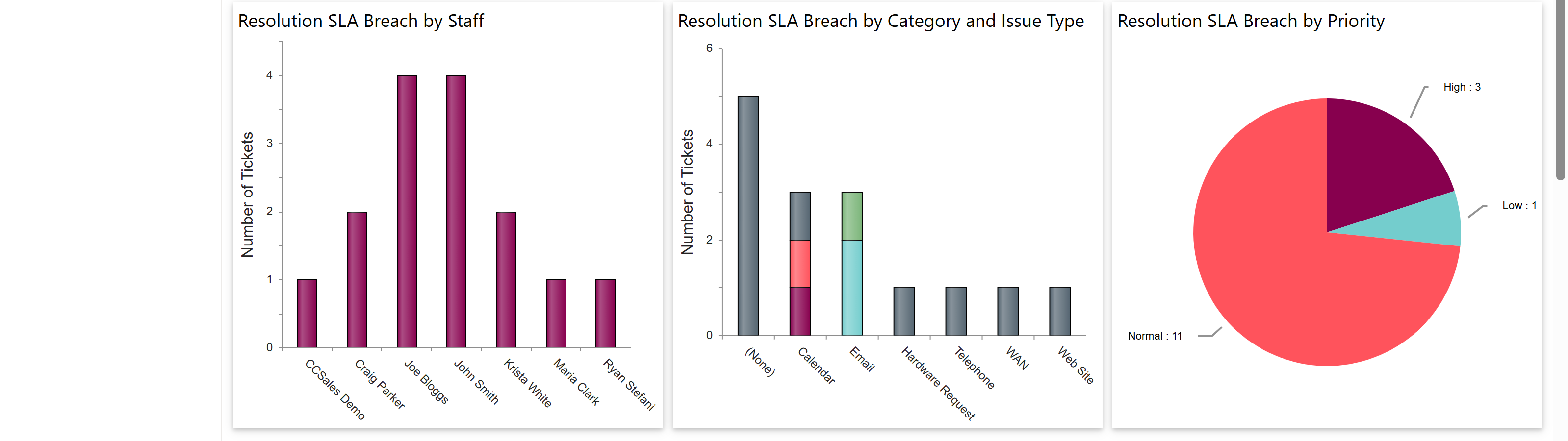
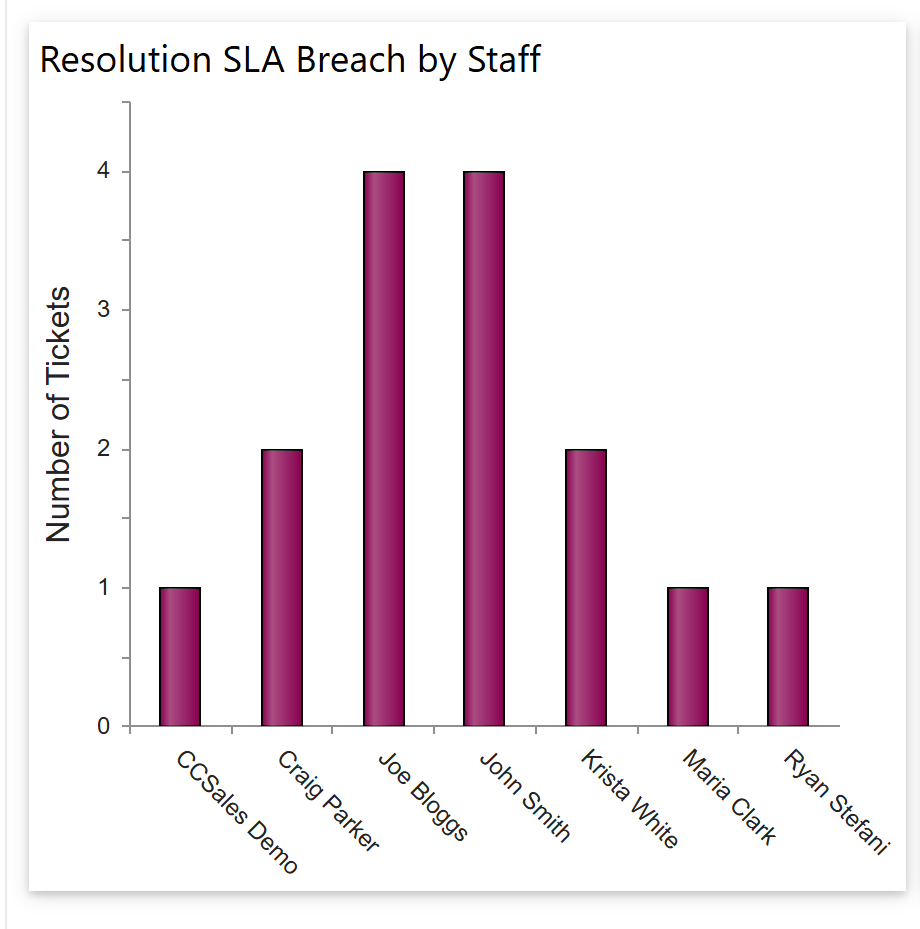
-Resolution SLA Breach by Staff:
This report lists tickets assigned to each staff member where the resolution SLA has been breached.
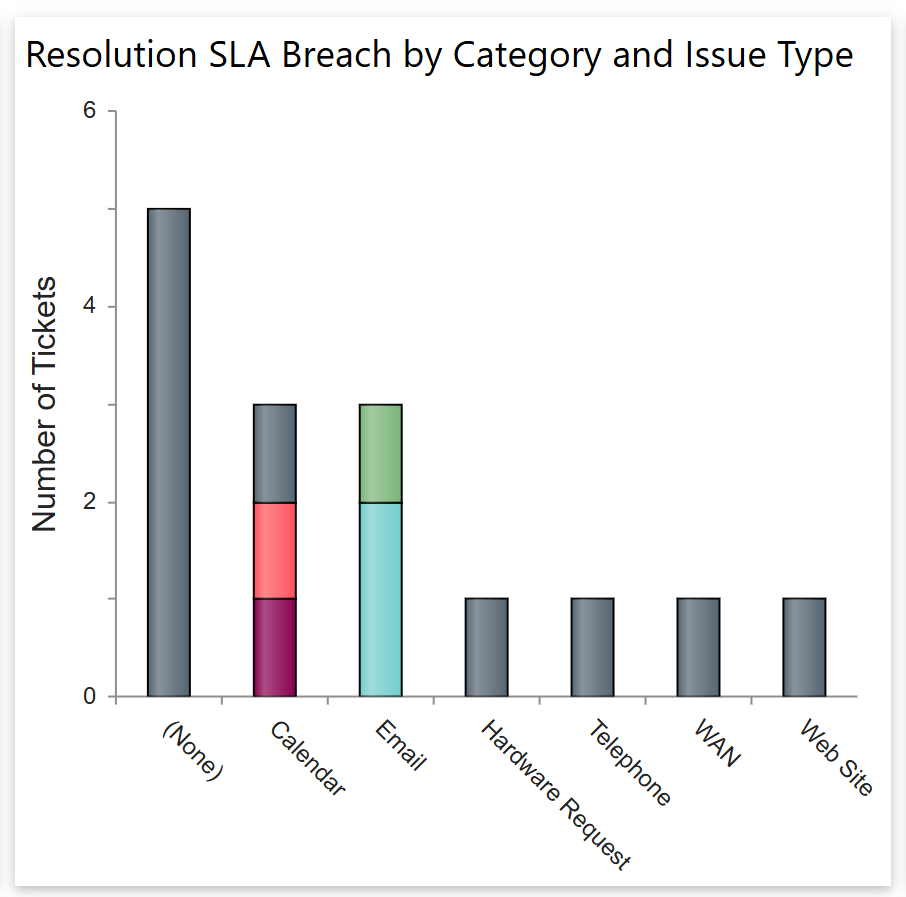
-Resolution SLA Breach by Category and Issue Type: This report displays tickets with breached resolution SLAs, categorized by their respective category and issue type.
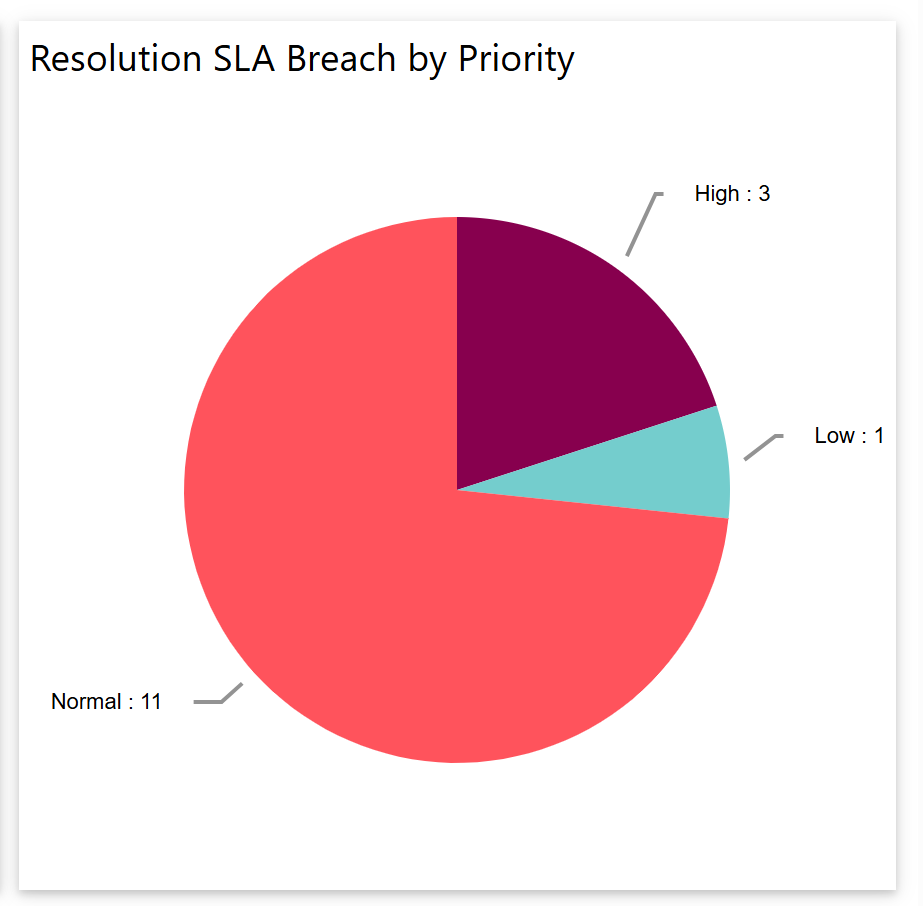
-Resolution SLA Breach by Priority: This report shows tickets with breached resolution SLAs, grouped by priority.
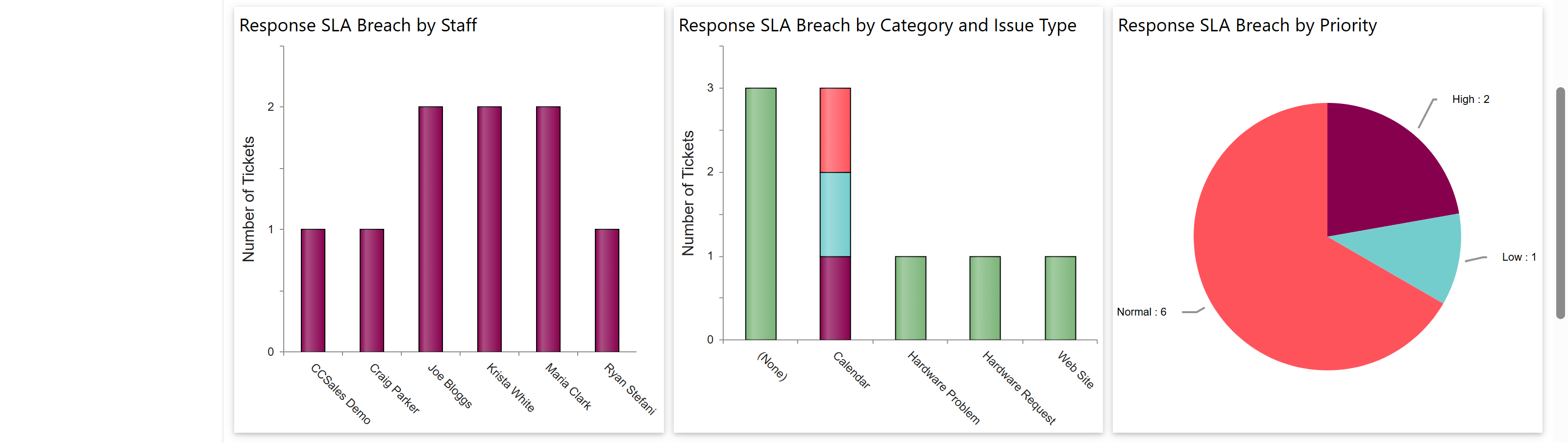
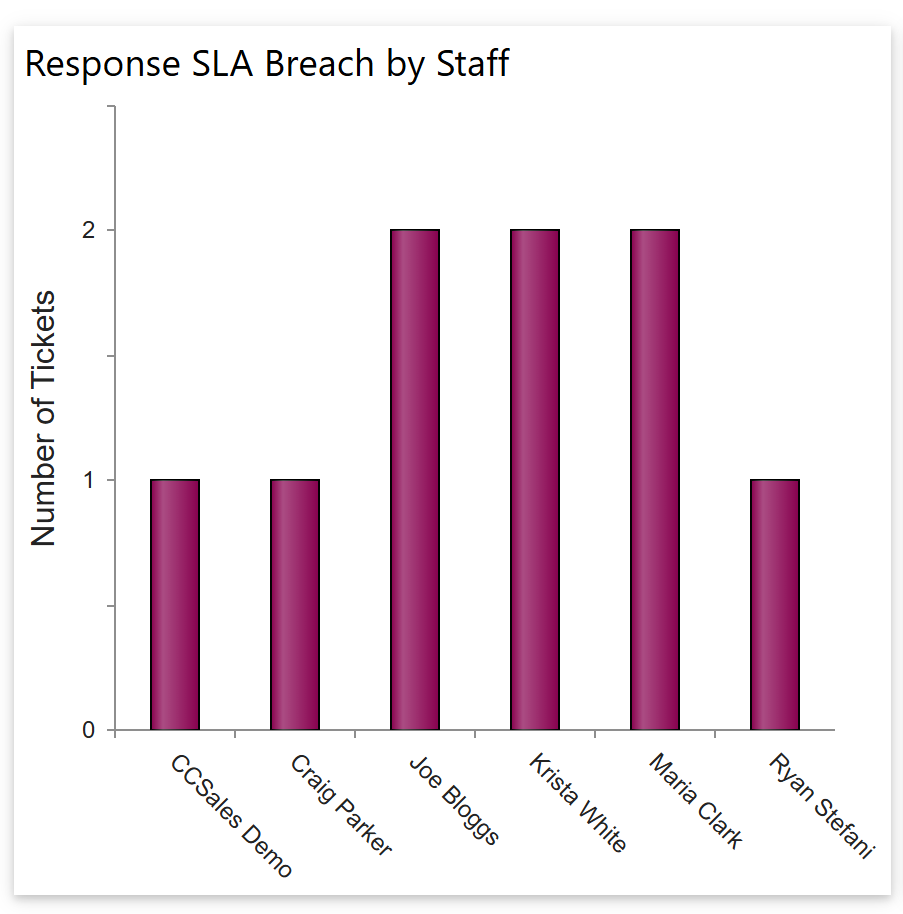
-Response SLA Breach by Staff: This report displays tickets assigned to each staff member where the SLA response time has been breached.
-Response SLA Breach by Category and Issue Type: This report displays all tickets with breached SLA response times, organized by category and issue type.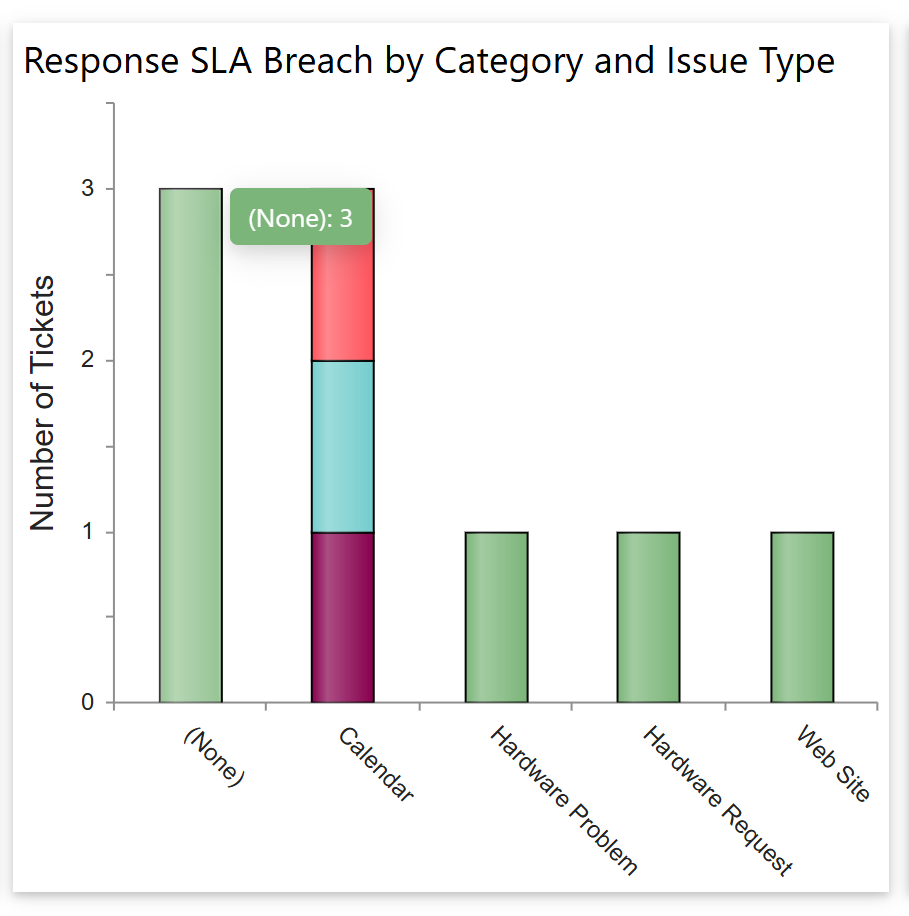
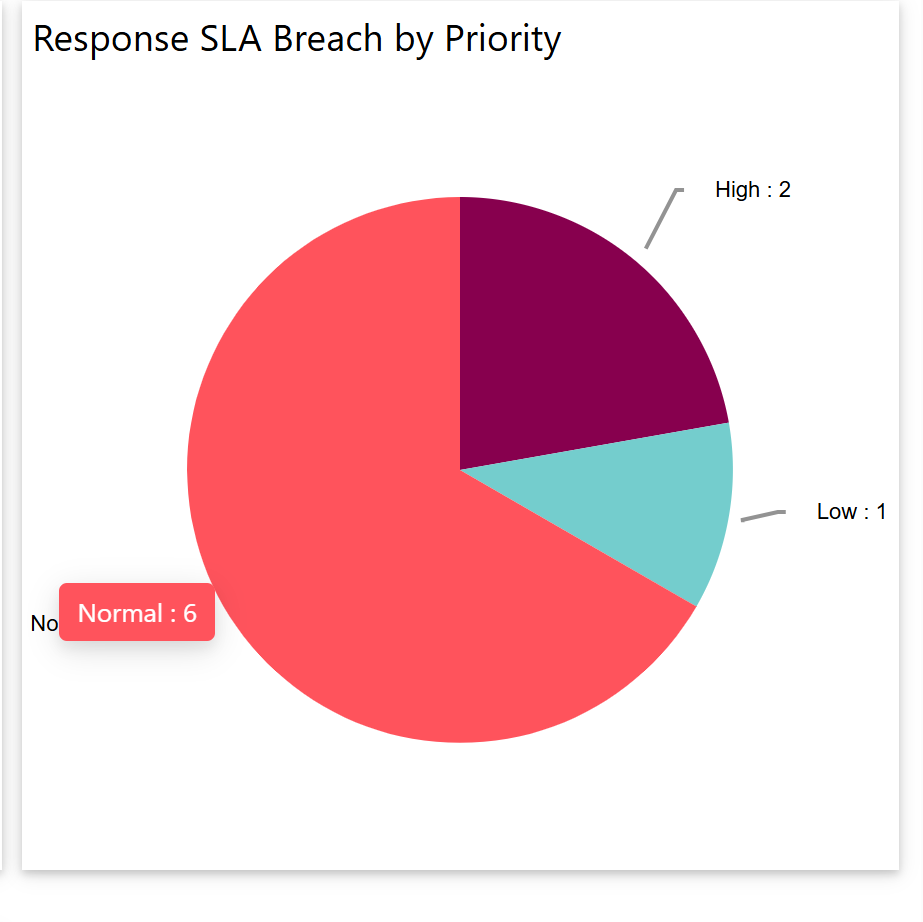
-Response SLA Breach by Priority: This report displays all tickets with breached SLA response times, categorized by priority.
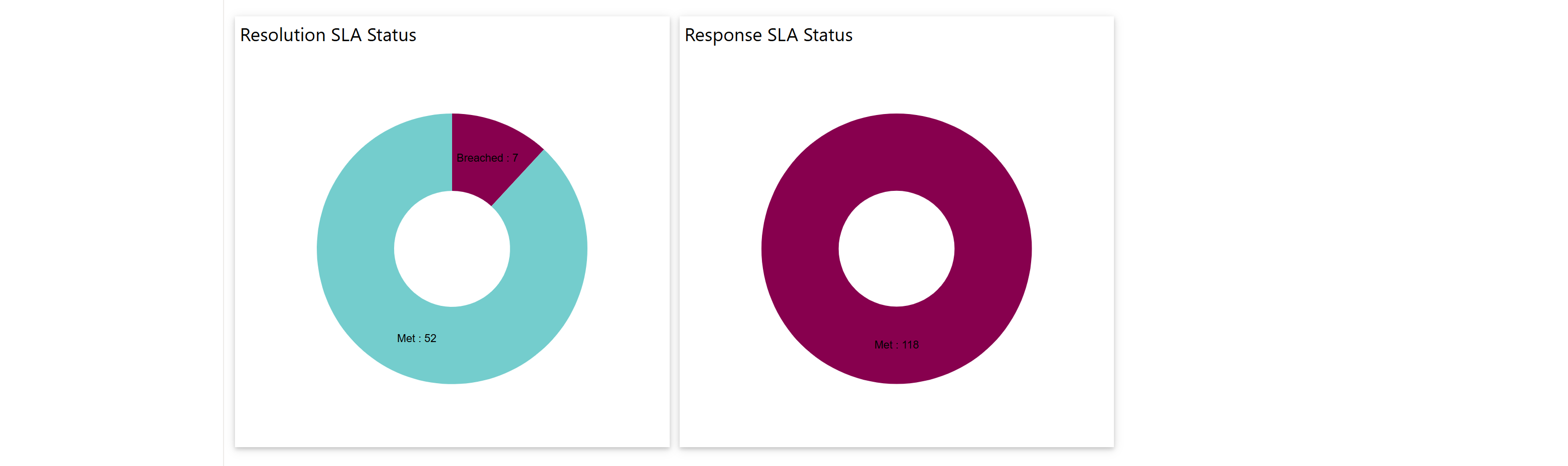
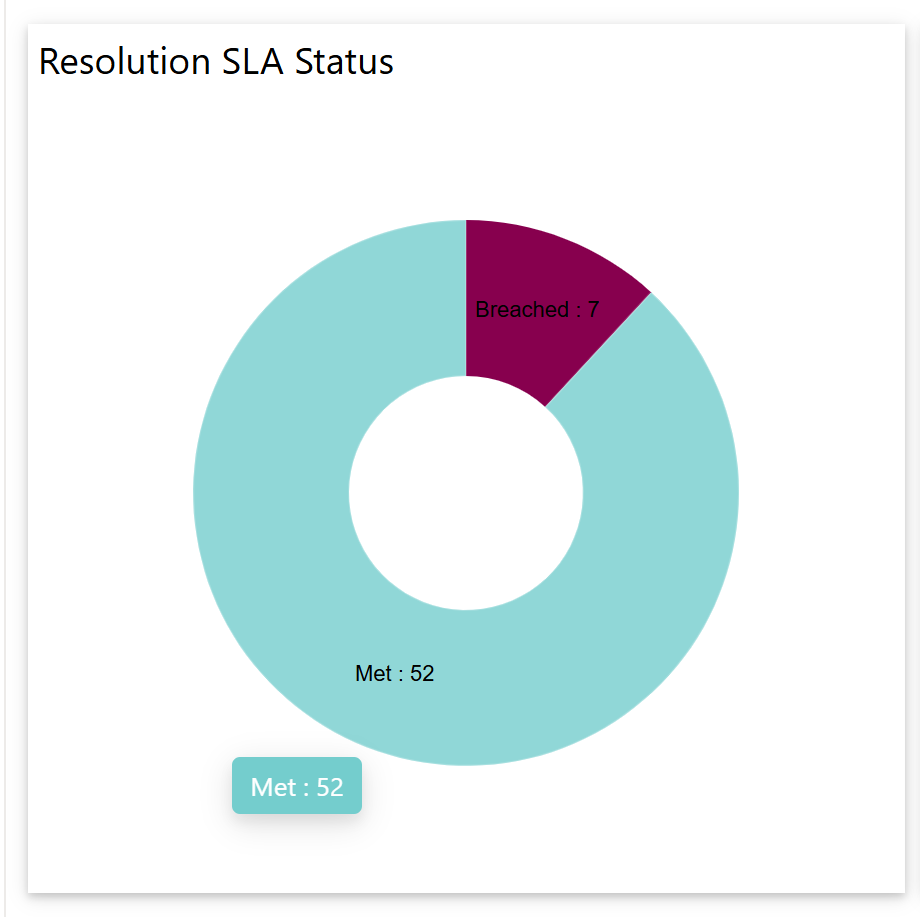
-Resolution SLA Status: This report displays all closed tickets, indicating which met the SLA resolution targets and which breached them.
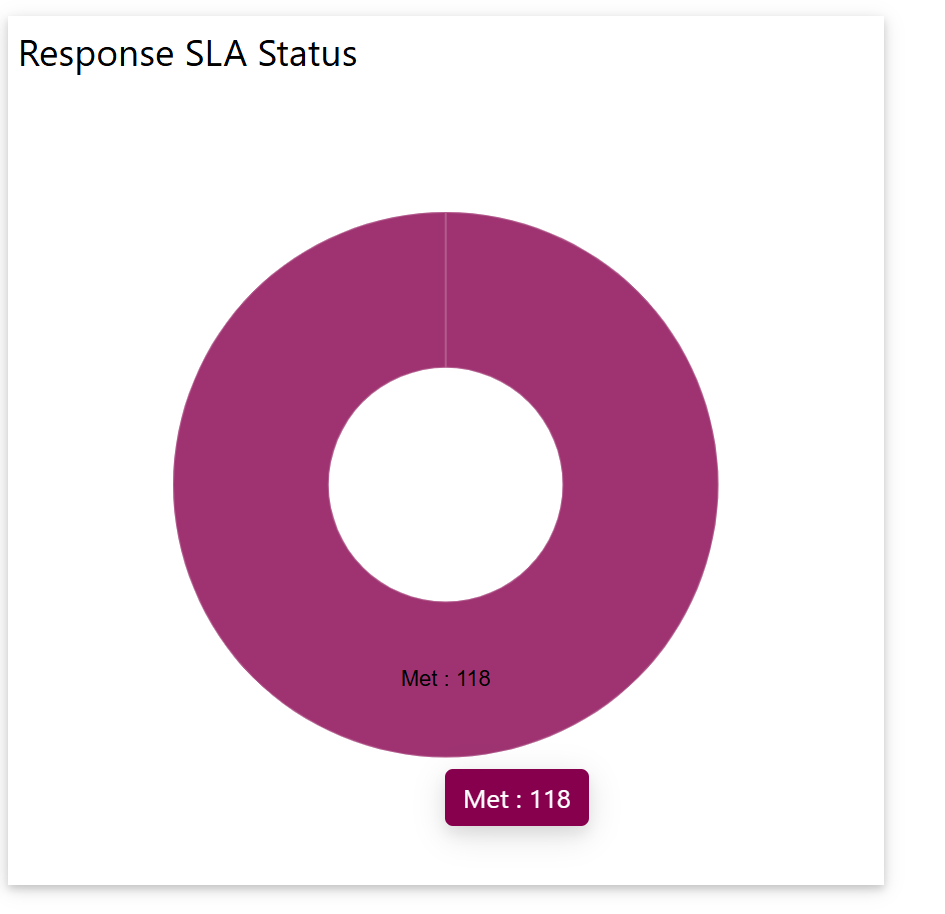
-Response SLA Status: This report displays all open tickets, highlighting those that met the SLA response targets and those that breached them.