Connections are a way to authenticate and consume both Microsoft and other resources within your Azure AI Studio projects.
Below are the supported connection types in NITRO Copilot.
Connection Type |
Description |
Azure Open AI |
Azure OpenAI Service provides REST API access to OpenAI's powerful language models including GPT-4o, GPT-4 Turbo with Vision, GPT-4, GPT-3.5-Turbo, and Embeddings model series. |
Open AI |
OpenAI is a cloud-based platform that allows developers to access a variety of models hosted by OpenAI, configure and submit prompts to said models and use their generative outputs in automations. |
Document Intelligence AI |
Document Intelligence is an AI service that applies advanced machine learning to extract text, key-value pairs, tables, and structures from documents automatically and accurately. |
Azure AI Search |
Azure AI Search is an Azure resource that supports information retrieval over your vector and textual data stored in search indexes. |
To configure the connections in NITRO Studio, go to the site -> Site Settings -> Crow Canyon NITRO Site Settings -> Expand “AI Connection Settings” and configure the connections as shown below:
Azure Open AI Connection Settings:
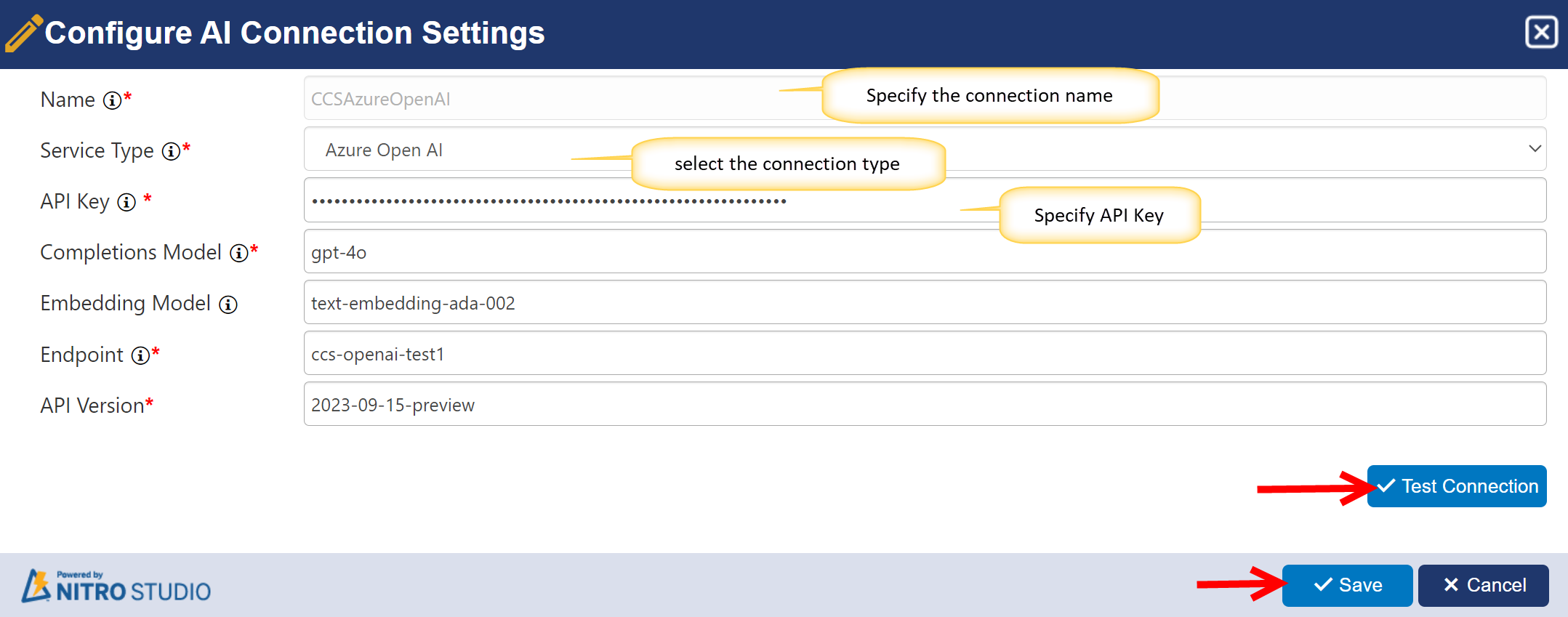
Name: Specify the connection name.
Service Type: Select the type of service you are using from the dropdown.
API Key: Enter the API key provided by the service provider. API key is a unique authentication token that grants access to the AI service capabilities, including text generation and natural language processing. API key value can be accessed from the settings of the Azure Open AI resource in the Azure portal.
Completions Model: Enter the name of the Completion Model provided by the service provider. Models can be added to the Azure Open AI resource from the Azure portal. The completion model generates text based on the input provided, utilizing advanced natural language processing capabilities. Example: gpt -35-turbo.
Embedding Model: Enter the name of the Embedding Model provided by the service provider. Models can be added to the Azure Open AI resource from the Azure portal. The Embedding Model transforms text into numerical representations (embeddings) that capture semantic meaning and context.
Endpoint: Enter the endpoint URL provided by the service provider. This endpoint serves as the gateway for making API requests to utilize advanced AI capabilities such as text generation and natural language processing. Endpoint URL value can be accessed from the settings of the Azure Open AI resource in the Azure portal
API Version: Enter the API Version provided by the service provider.
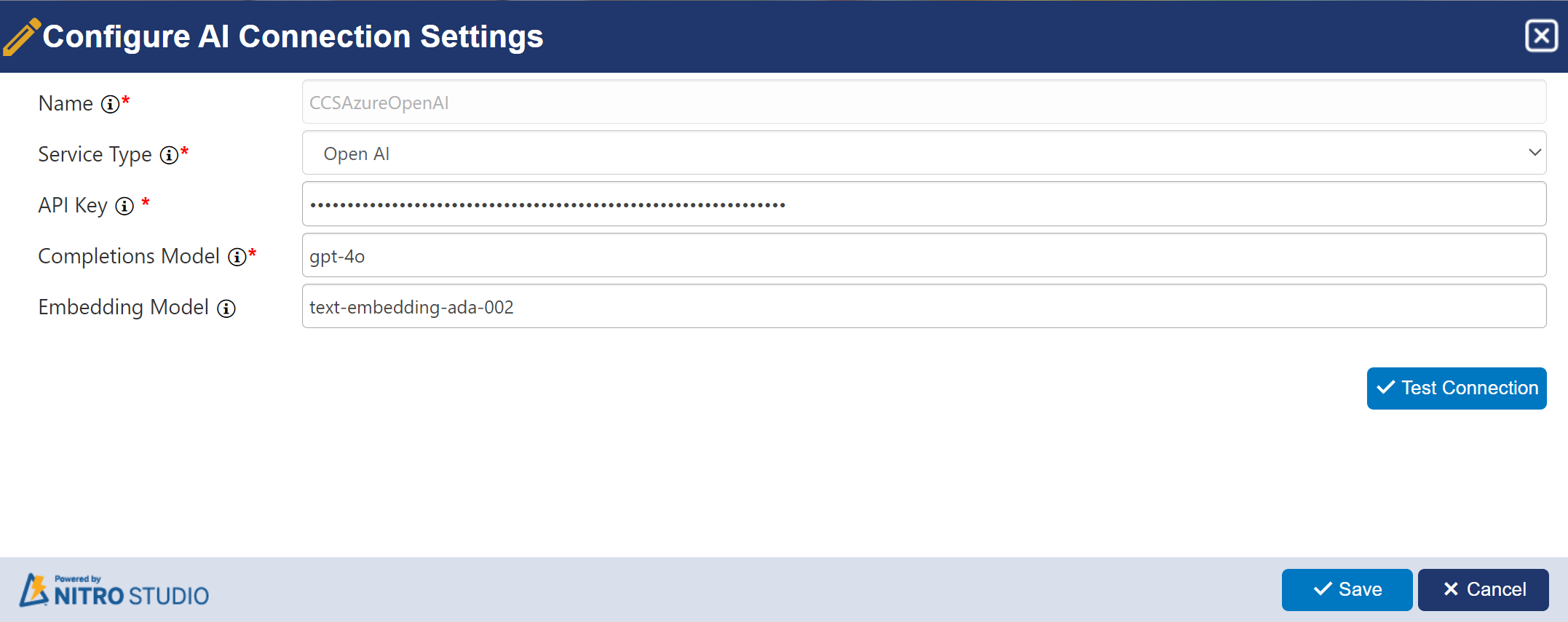
Open AI Connection Settings
These details can be accessed from your Open AI subscription settings.
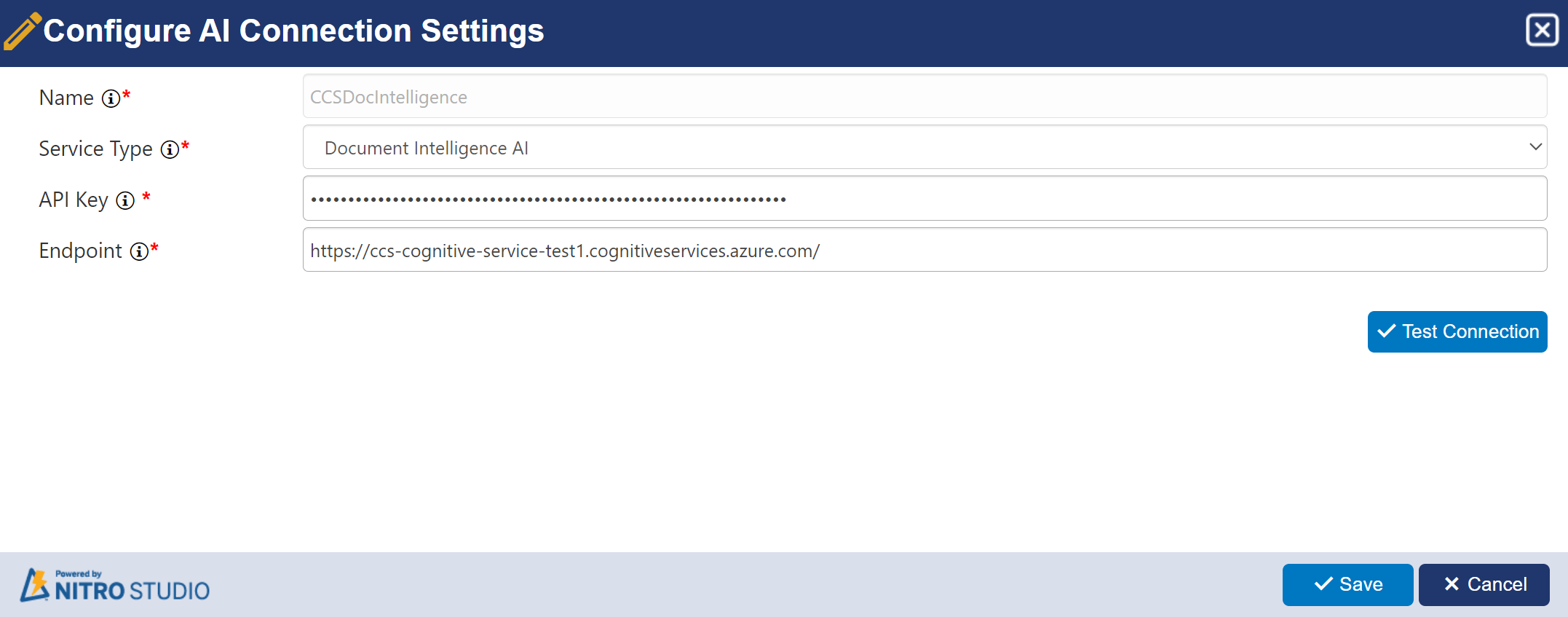
Document Intelligence AI Connection Settings
For document intelligence AI connection, users need Azure AI services multi-service account. API key and Endpoint value can be accessed from the corresponding resource in Azure portal.
Azure AI Search Connection Settings
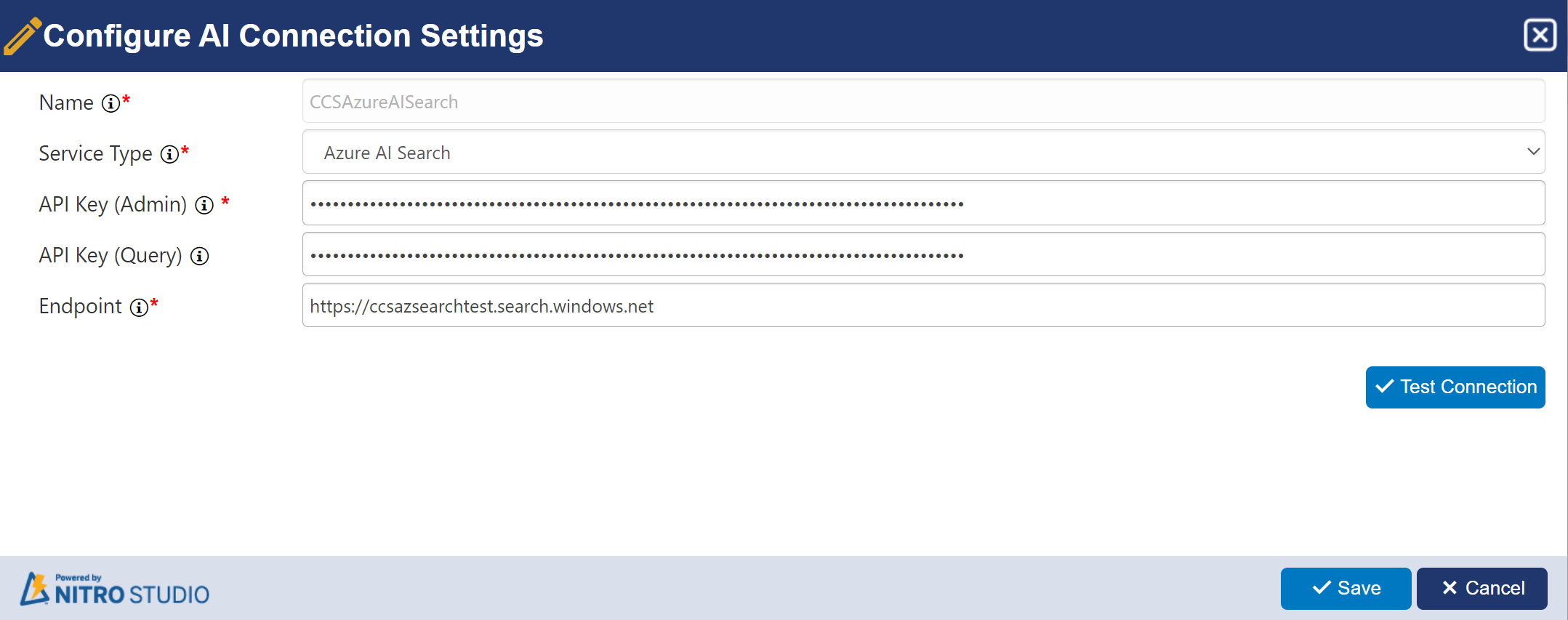
API Key (Admin): Enter your Admin API key to authenticate and authorize administrative tasks and configurations for Azure API search. This key grant access to manage indexes, query settings, and other administrative functions within your Azure API Search service. API key can be accessed from the settings of the Azure AI Search resource in the Azure portal.
API Key (Query): Enter your Query API key to authenticate and authorize queries made to Azure API search. This key allows access to perform search operations and retrieve search results from your Azure API Search service. API key can be accessed from the settings of the Azure AI Search resource in the Azure portal.