To open CR-Manager-Dashboard page follow below steps:
Open Home page of the NITRO Helpdesk Application and go to Quick Launch in left side -> click Manager Dashboard in ‘Change Requests’ dropdown
This will open a CR-Manager-Dashboard page as shown below:
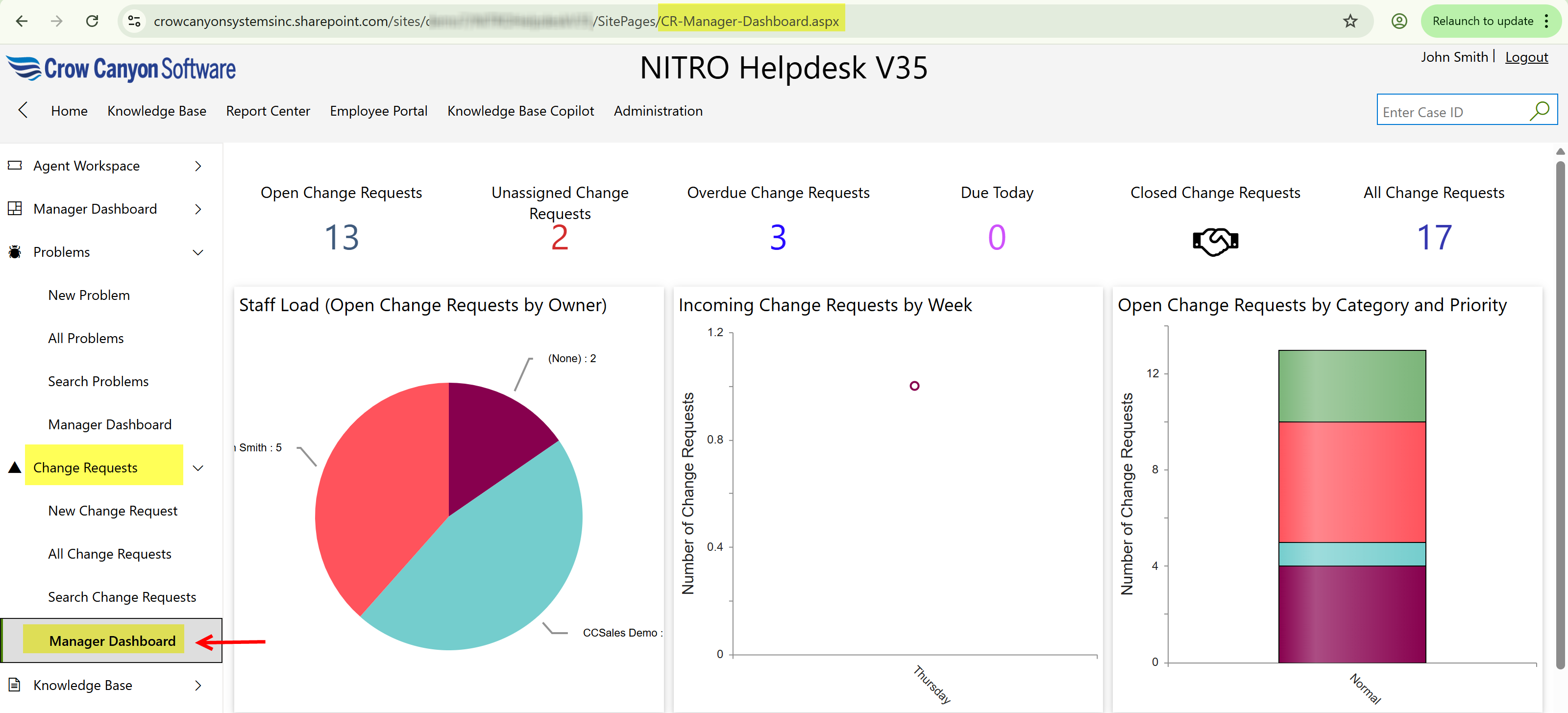
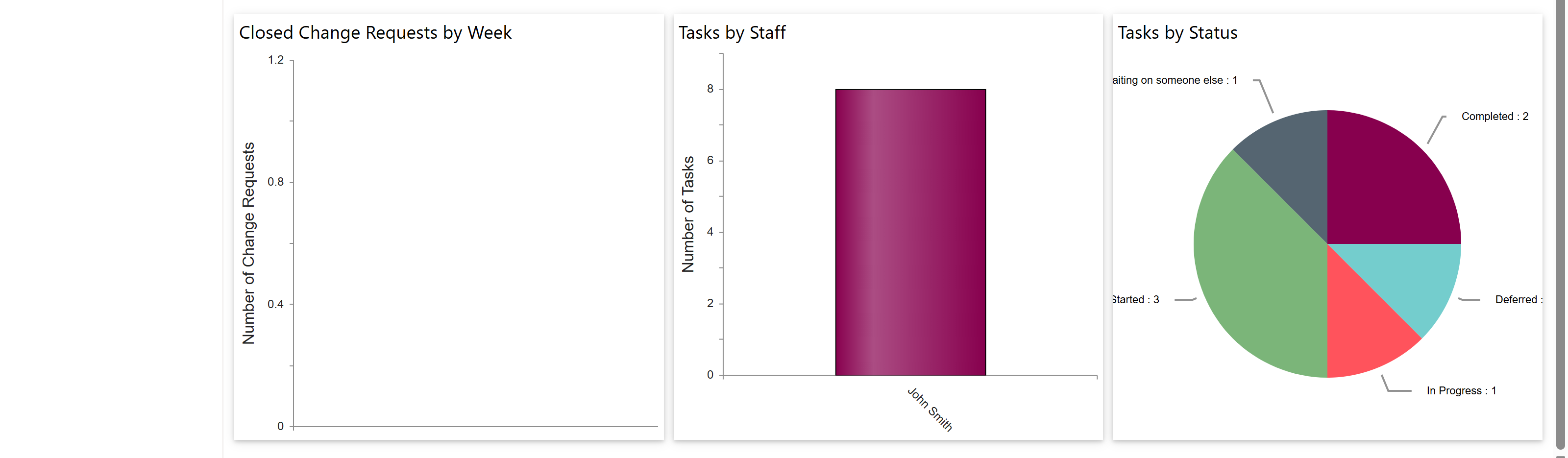
This page has following sections:
•Clickable Tiles that show count of Change Requests in different states
•Graphical Reports