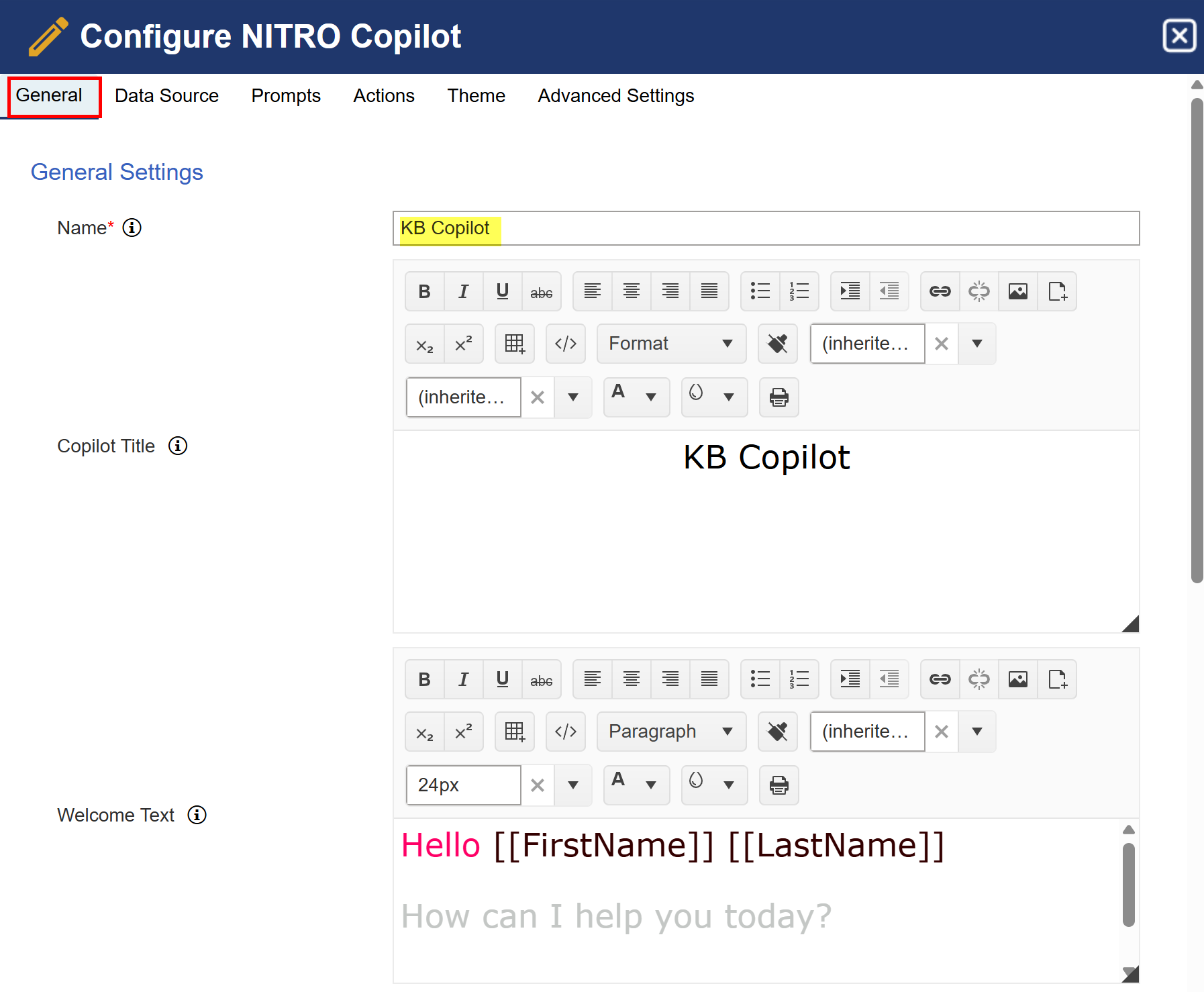
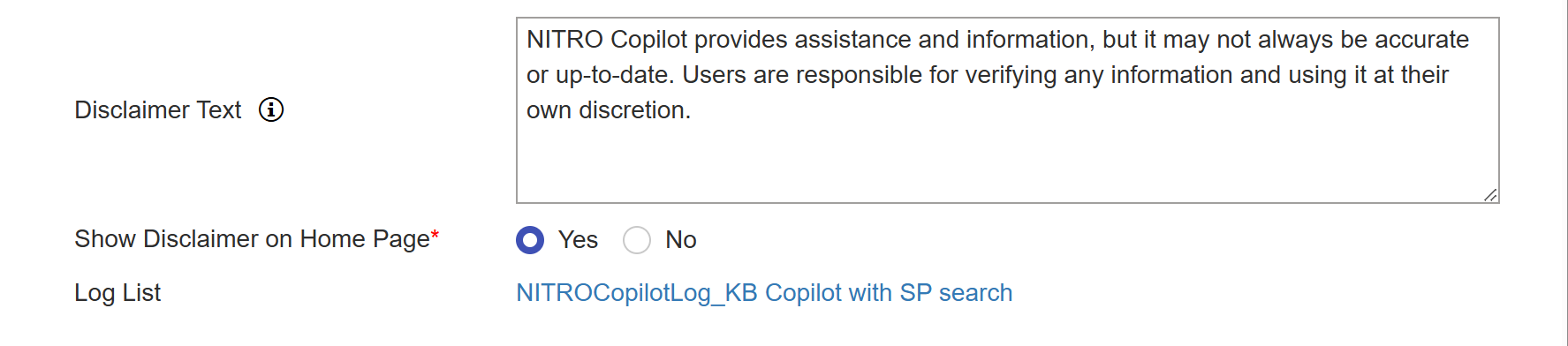
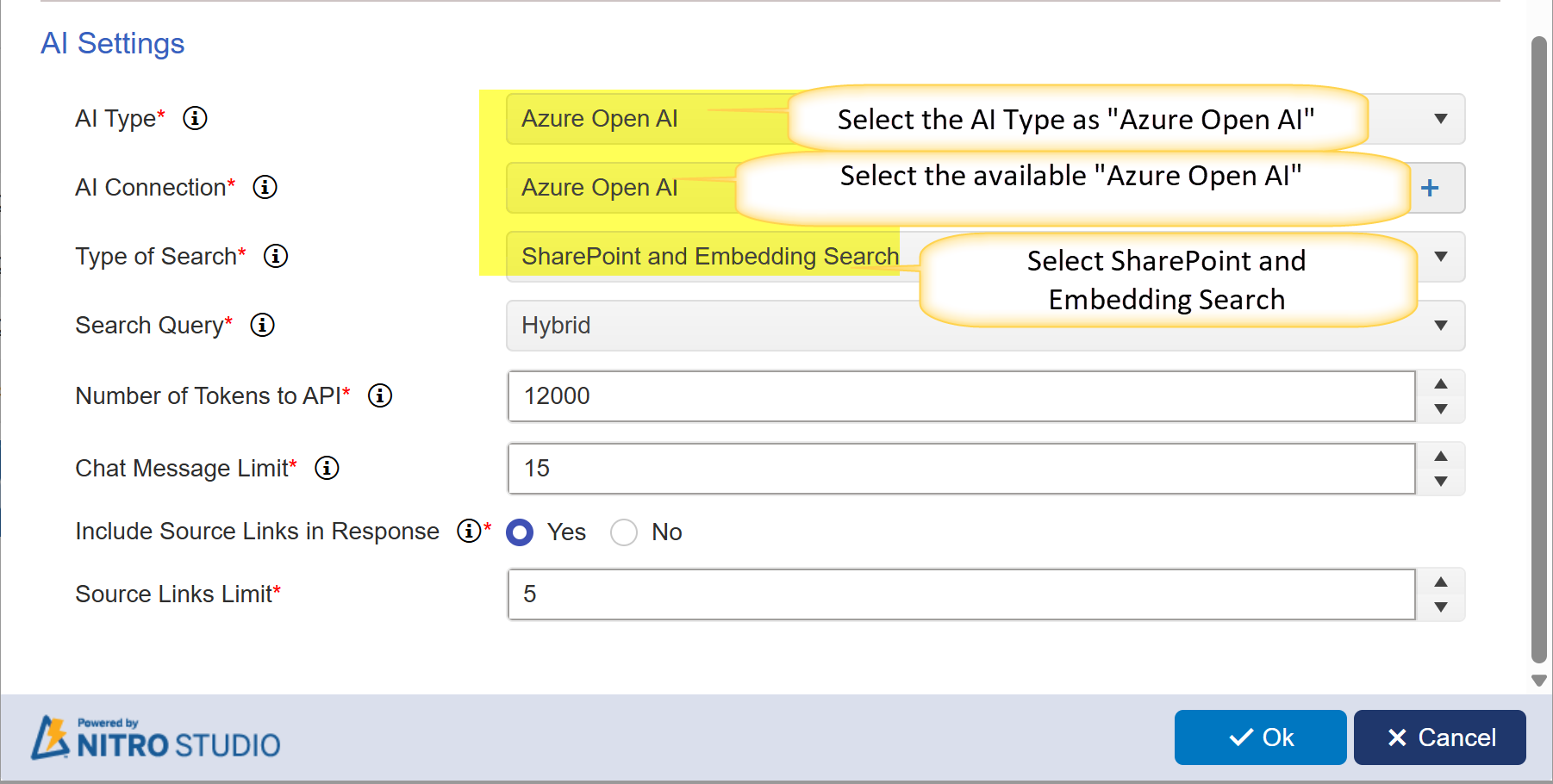
Navigate to the NITRO Copilot page and configure the Copilot as shown below:
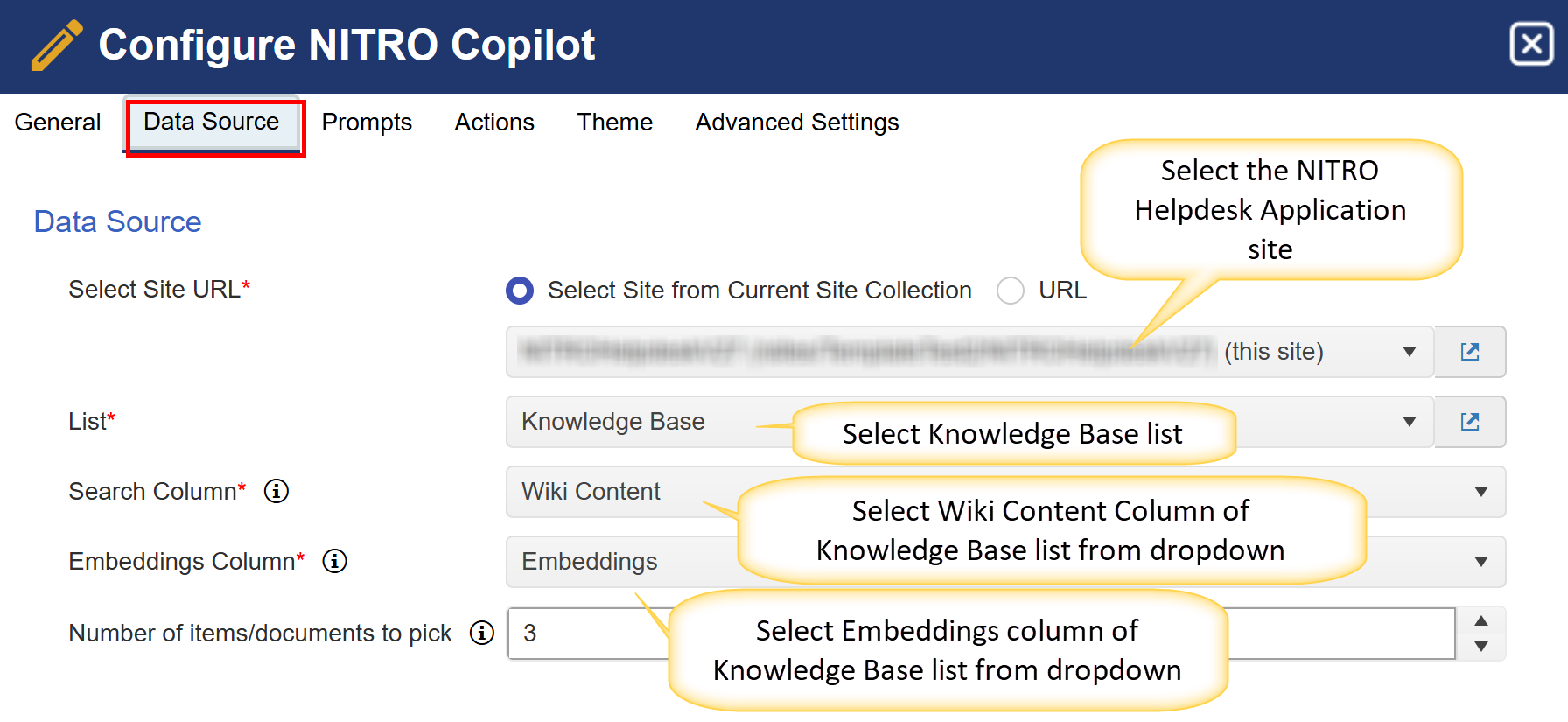
Data Source:
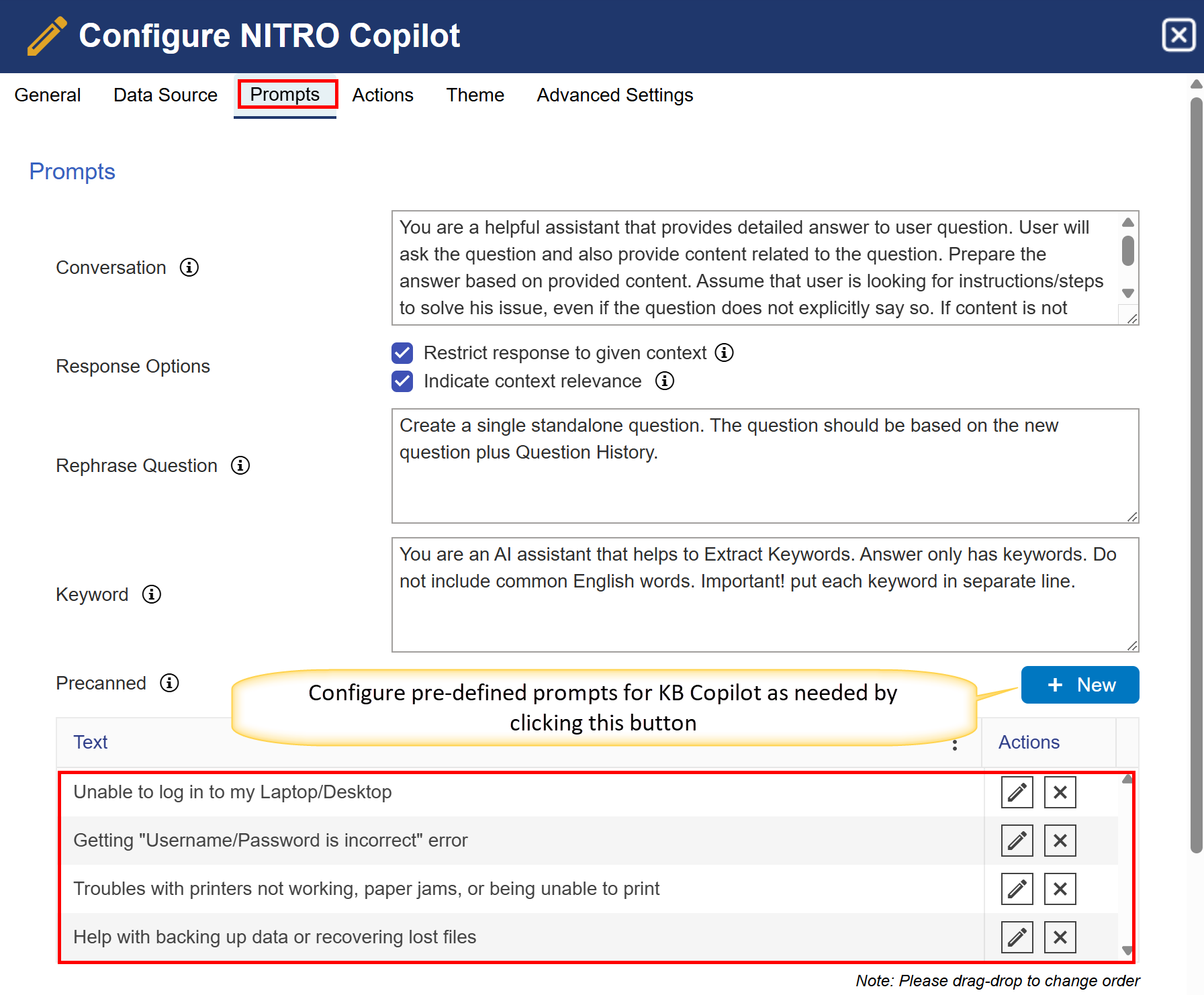
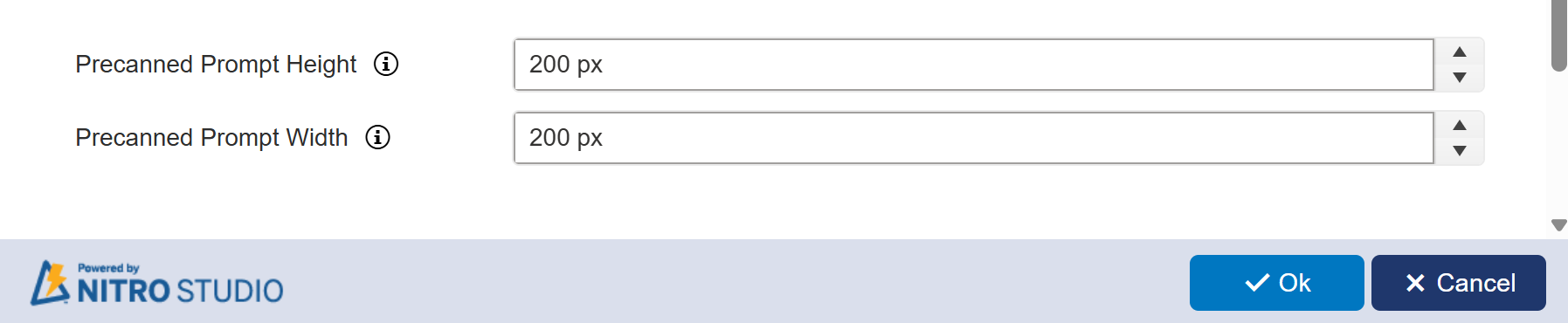
Prompts:
Actions:
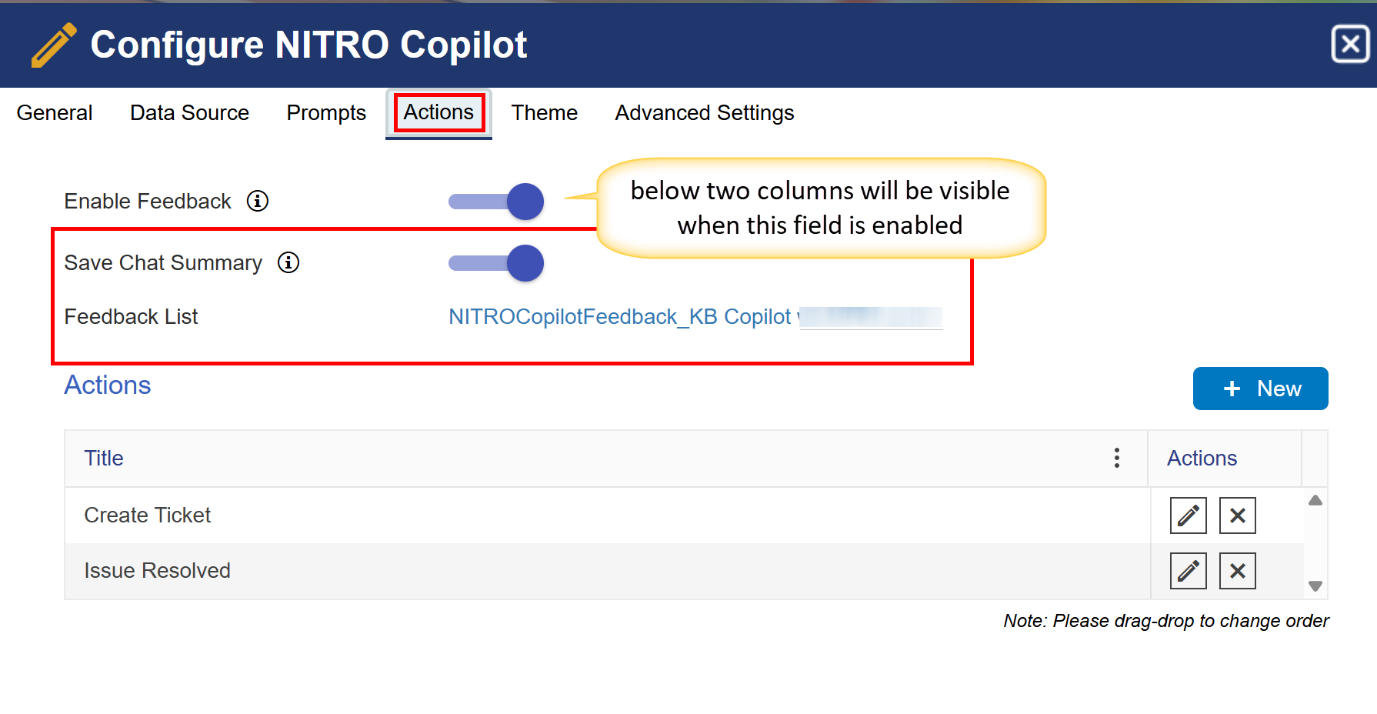
‘Create Ticket’ and ‘Issue Resolved’ actions are explained above already.
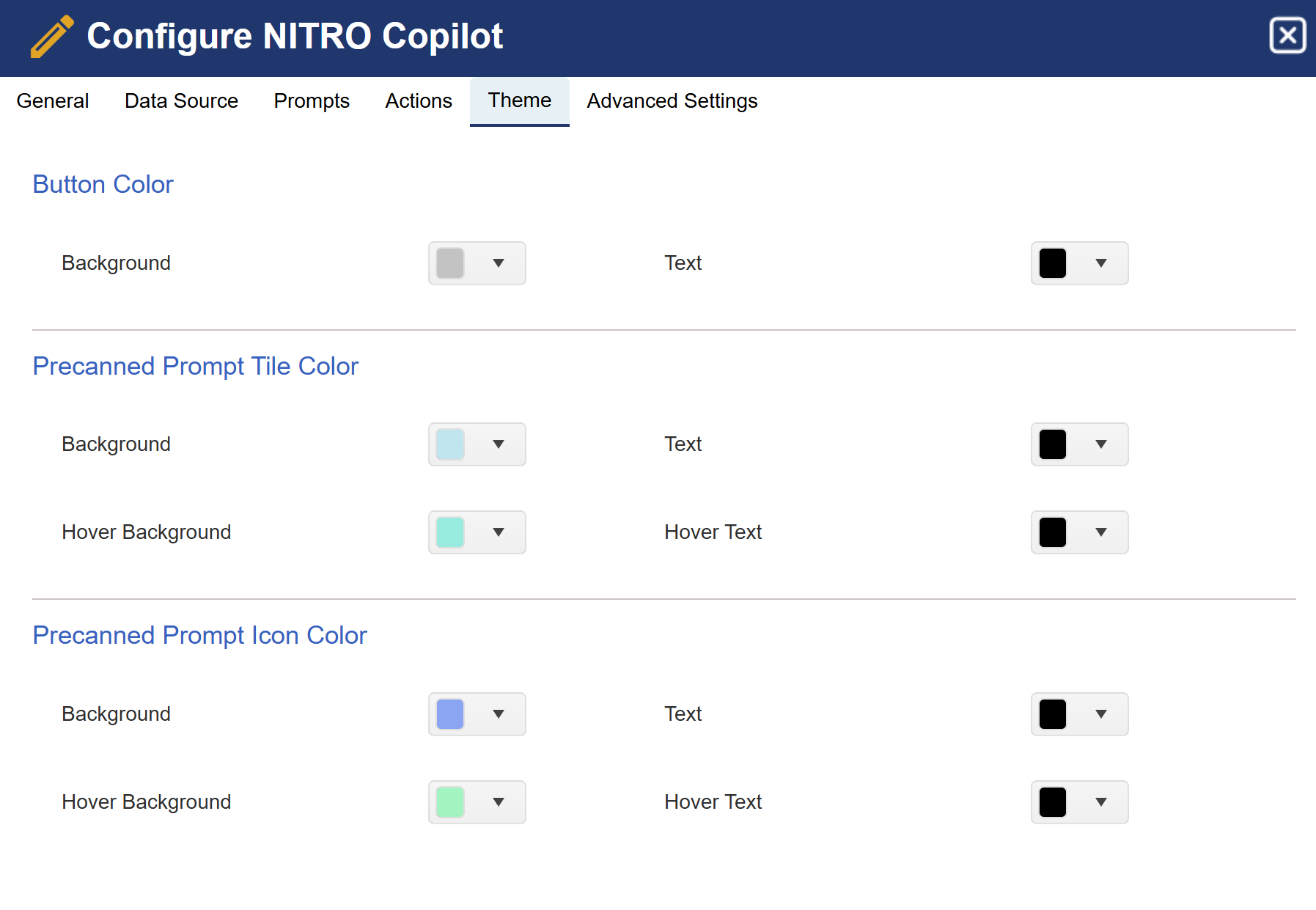
Theme:
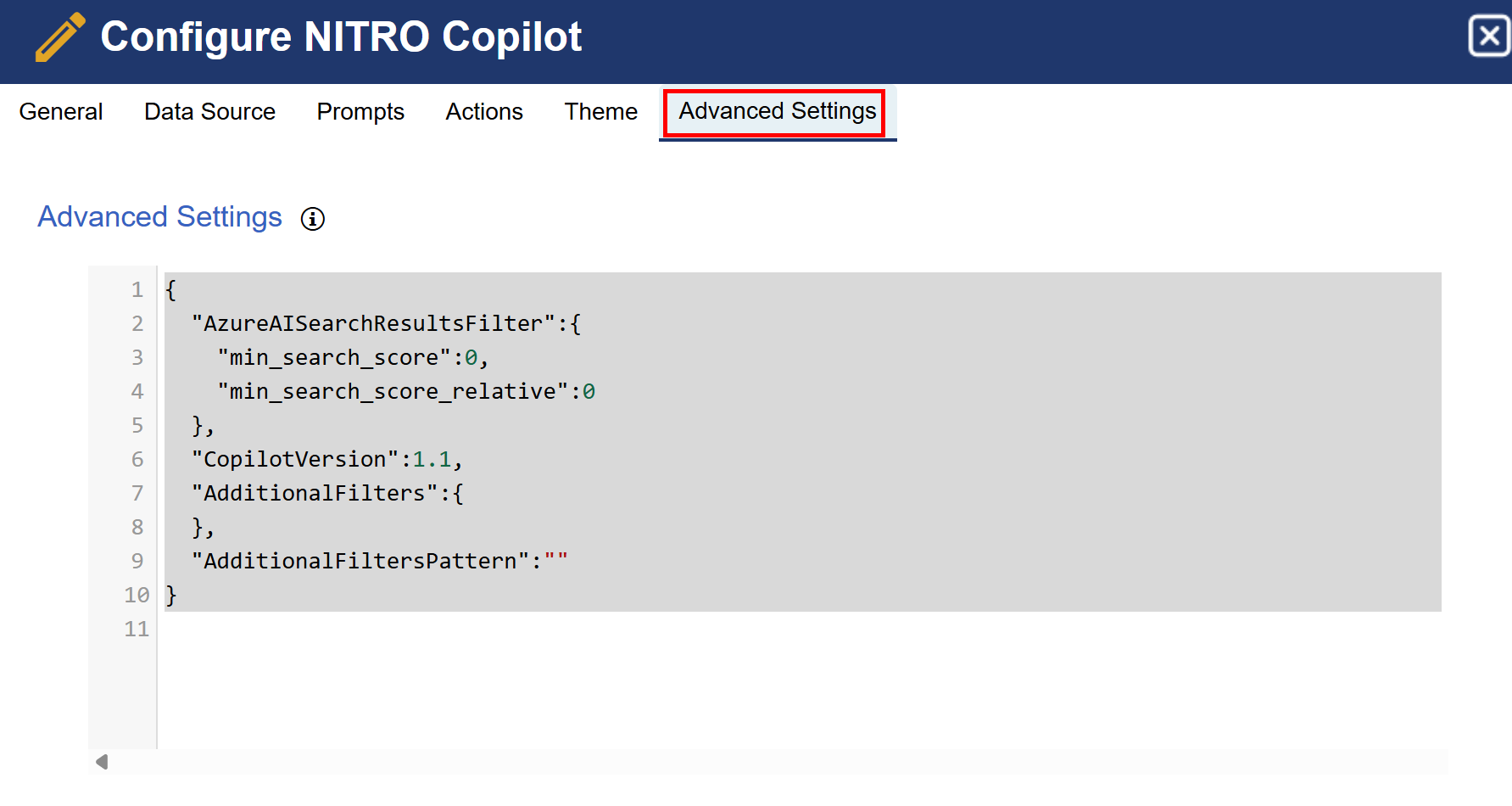
Advanced Settings:
|
<< Click to Display Table of Contents >> Navigation: KB Copilot in NITRO Helpdesk > Configurations for NITRO Copilot |
Navigate to the NITRO Copilot page and configure the Copilot as shown below:
Data Source:
Prompts:
Actions:
‘Create Ticket’ and ‘Issue Resolved’ actions are explained above already.
Theme:
Advanced Settings: