Search Change Requests
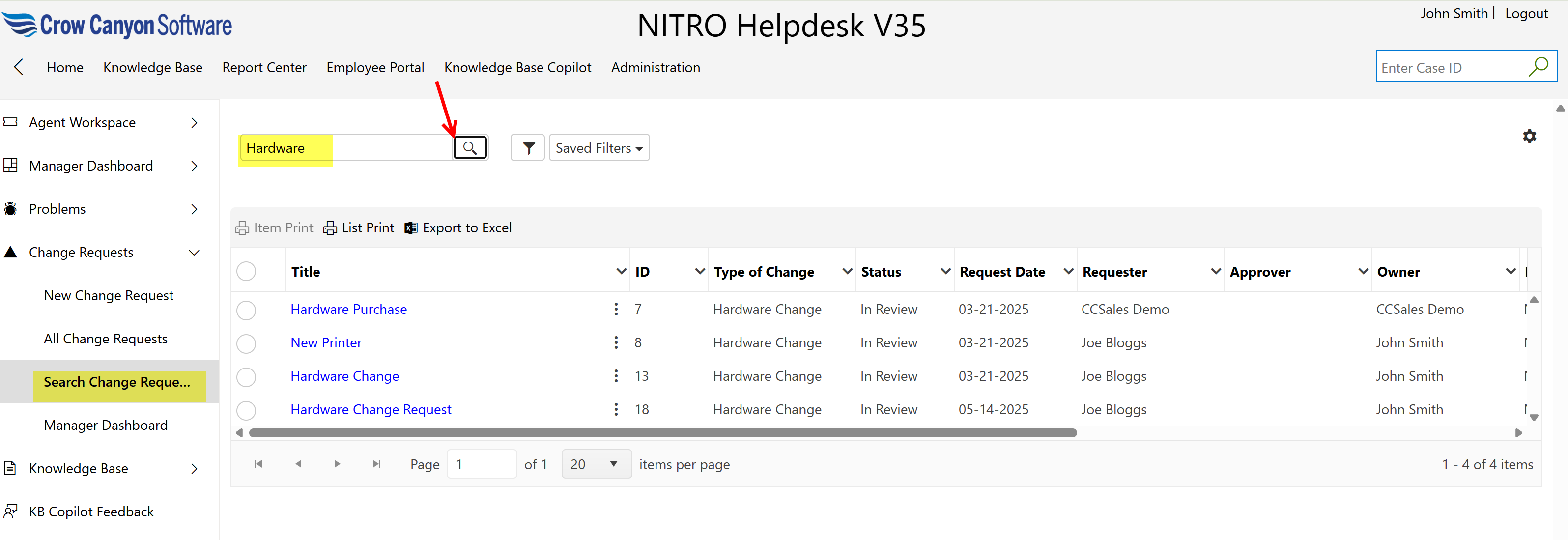
Users can search for a change request by selecting ‘Search Change Requests’ from the ‘Change Requests’ dropdown menu, as shown below.
They can type their search terms into the search box and click the Search button to find relevant change requests.
Staff members can use the available filter options to narrow down the search results or create new filters to customize their search.
The matching change requests will then be displayed based on the search criteria.