To view all Open Problems, click ‘My Open Problem’ as shown below:
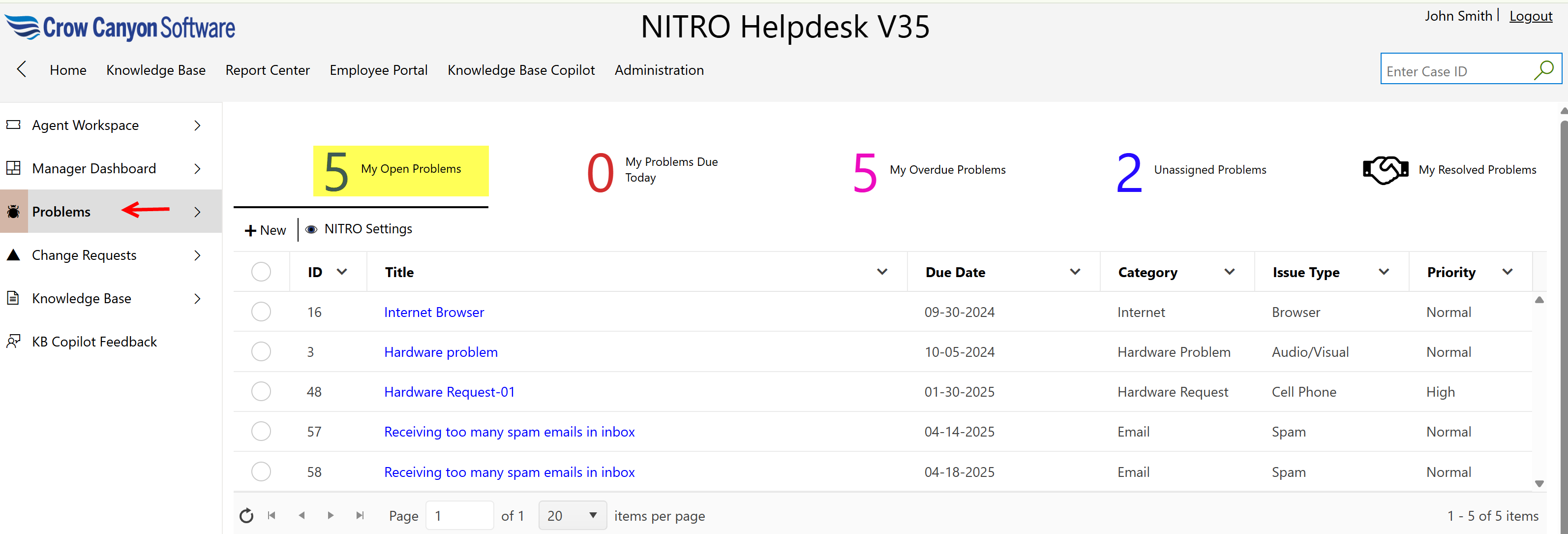
Assigned Staff can perform ‘Link Tickets to Problem’ action on ‘Problem’ by opening the problem.
•Link Tickets to Problem: Assigned Staff can link open Tickets to problems that have been already identified. This will help us in grouping of similar Tickets under the common problem. See the NITRO Help Desk manual -> Link Tickets to Problem for more information
Open a Problem by clicking on it.
Custom Actions available for Assigned Staff to perform on a ‘Problems’ are shown below:
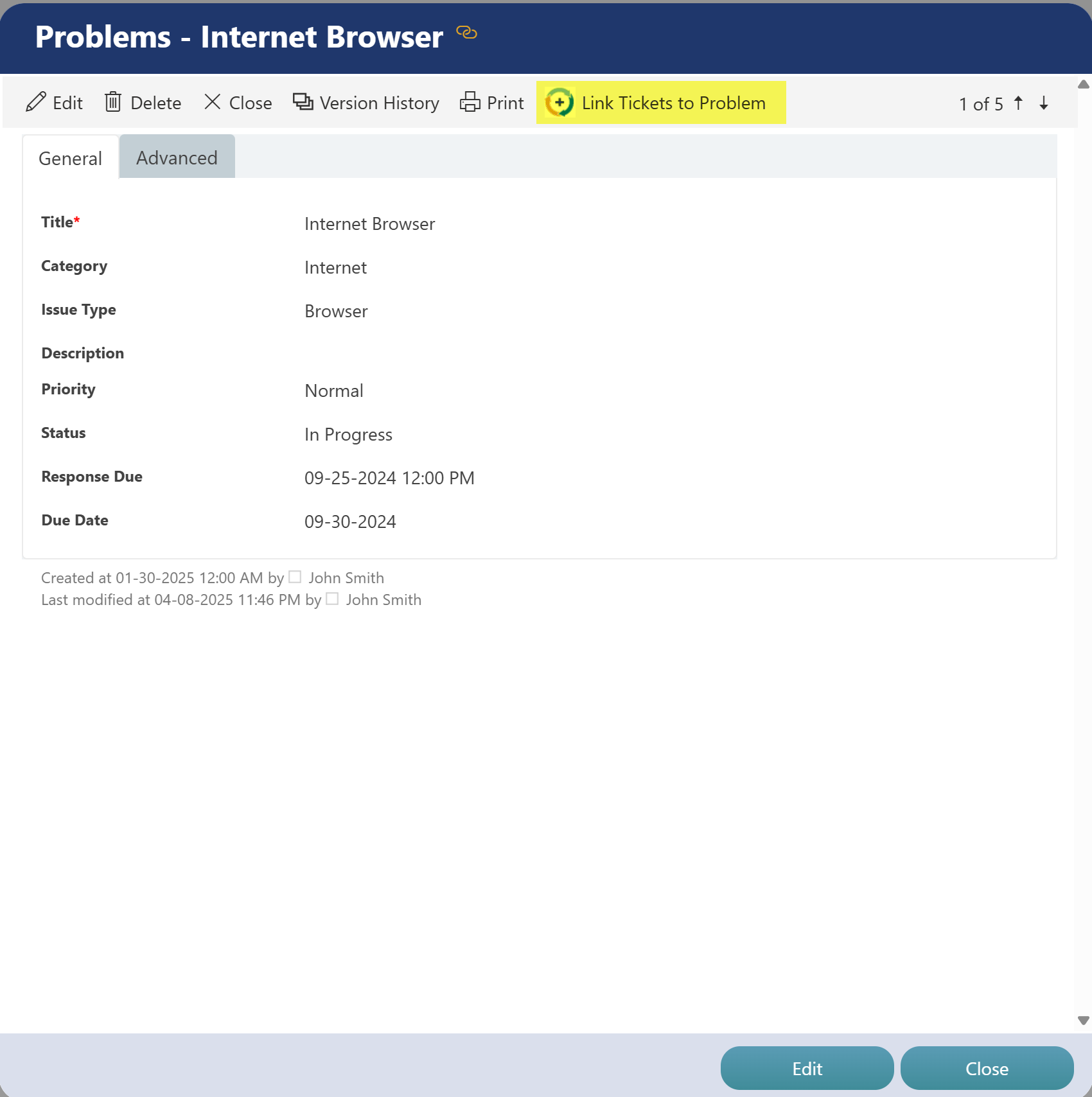
•Link Tickets to Problem:
-This custom action is configured on ‘Problems’ list and will be invoked on the Problem with which Tickets needs to be linked.
-When action is invoked, it will prompt the user to select the ‘Open Tickets.’
-Select single or multiple Tickets to link with Problem.
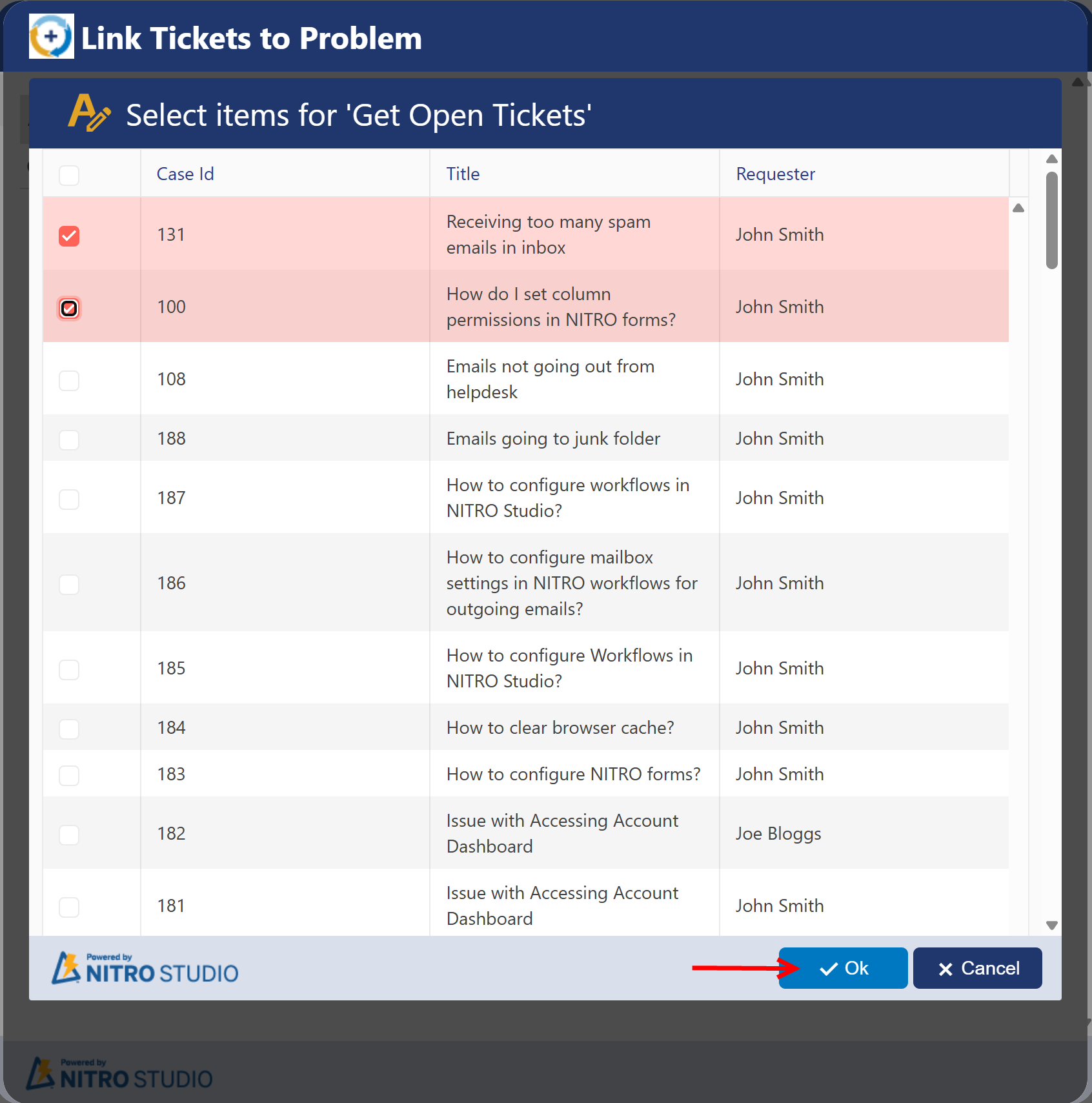
-Selected Tickets will be linked to Problem on which custom action is invoked.
Other Actions that a Staff can perform on a Problems are:
New: Staff can create new Problem by clicking ‘New’ button available in upper left corner of ‘My Tickets’ views.
Item Print: Staff can print an item by selecting the item and clicking on ‘Item Print’ button.
List Print: Staff can print the list by clicking ‘List Print’ button available in the ribbon.
Delete: Staff can delete a Problem by selecting it and clicking ‘Delete’ button.