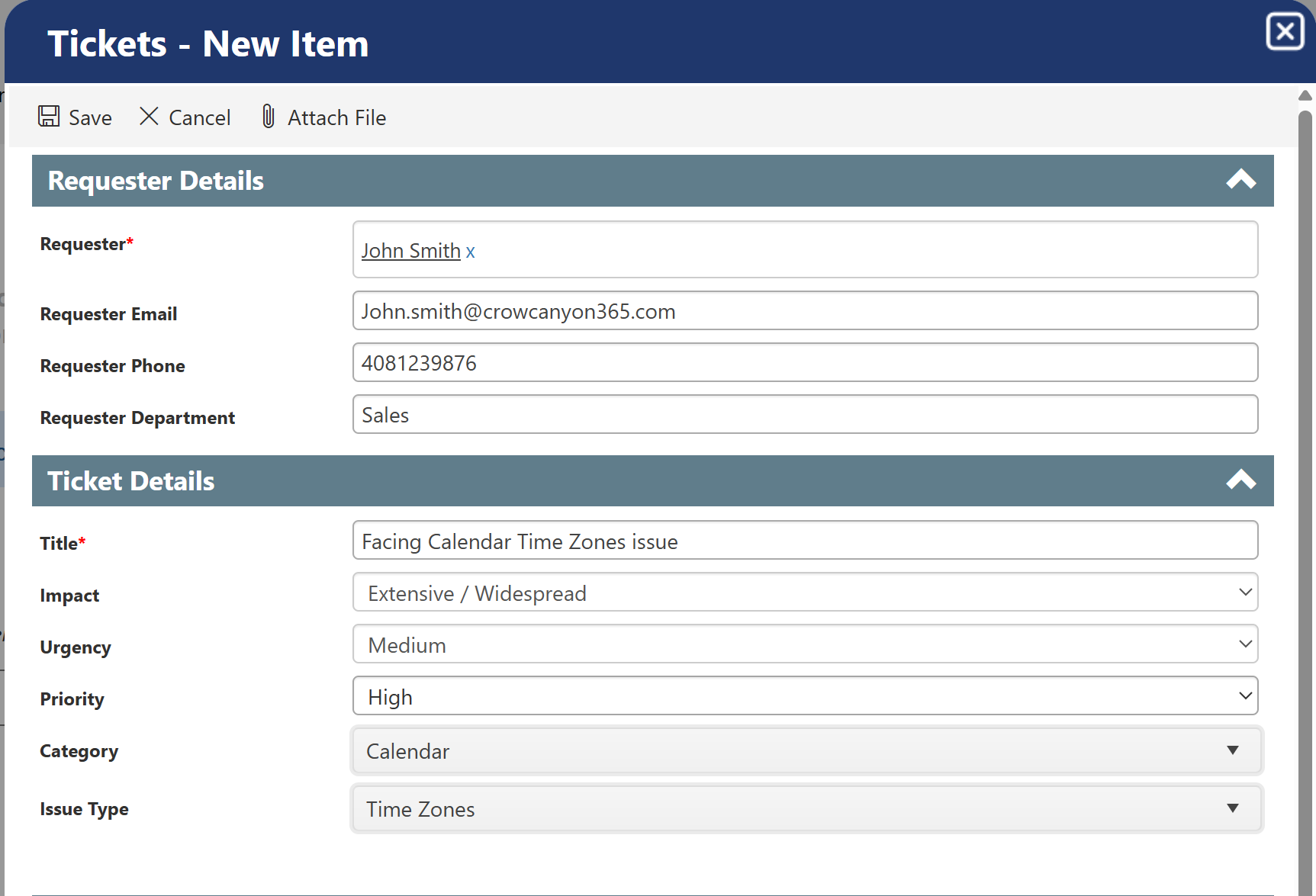
After clicking ‘Submit New Ticket’, ‘Tickets-New Item’ form will open.
In this form we can give details about the new Ticket.
Title: Title is used to identify the purpose of the new Ticket. It helps provide the context of the issue and makes it easier for the user to understand.
Impact: Choose the ticket's impact from the dropdown menu.
Urgency: Choose the ticket's urgency from the dropdown menu.
Priority: The system will automatically calculate the ticket's priority based on the selected impact and urgency.
Category: A category can be chosen from the drop down which will appropriately classify the issue into an appropriate group. Based on the issue/problem, the user can choose a category. If no relevant category is found, then we can choose ‘Other’ as the category.
Issue Type: For the category chosen, there will be a list of relevant issue types. From the issue type drop down, choose an appropriate issue type that appropriately describes the issue.
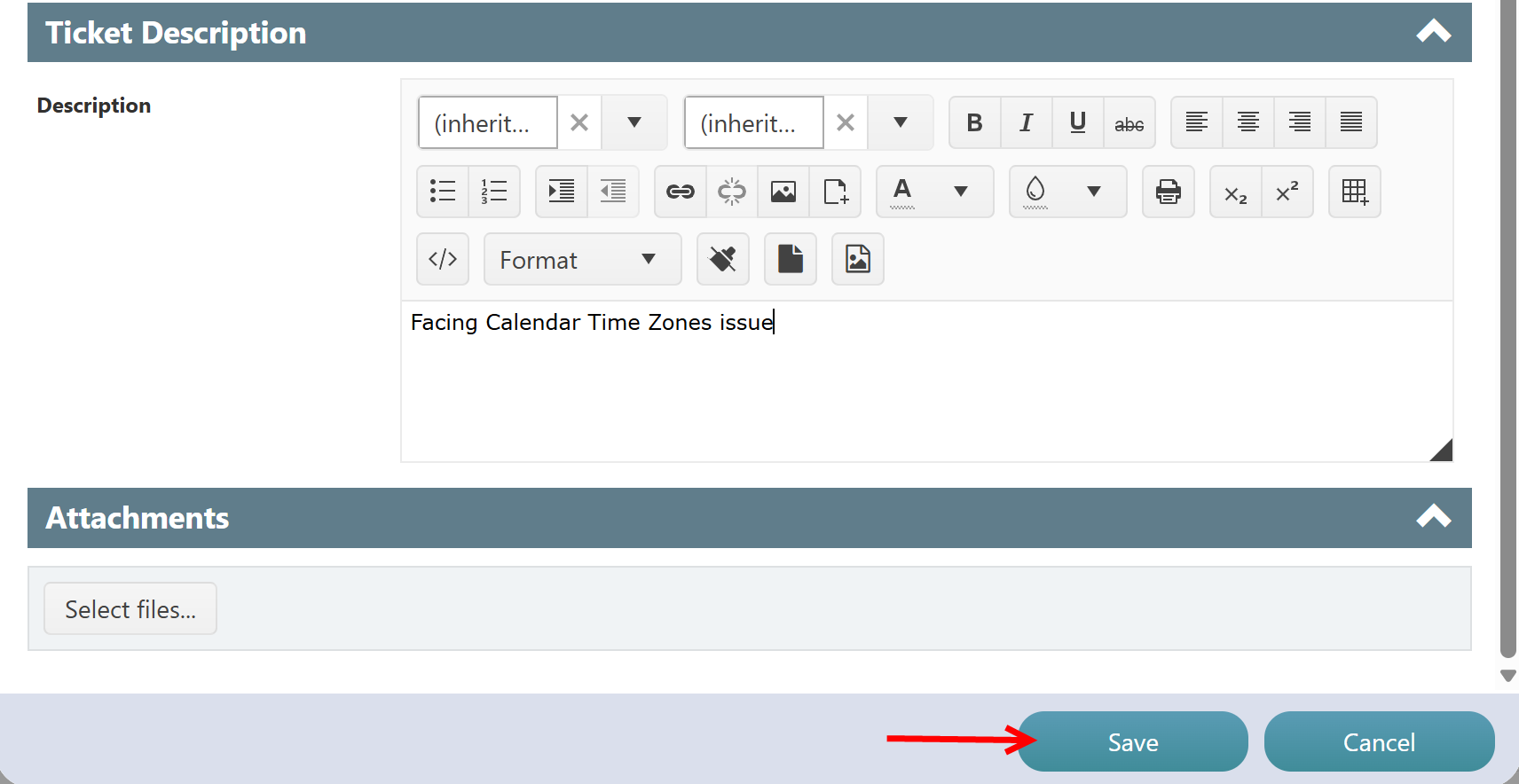
Description: The issue should be described in detail in the description section. Any relevant information, errors, screenshots, attachments, etc. can be provided here. This description helps the team to properly understand the issue and provide a resolution.