Email Spam Issue
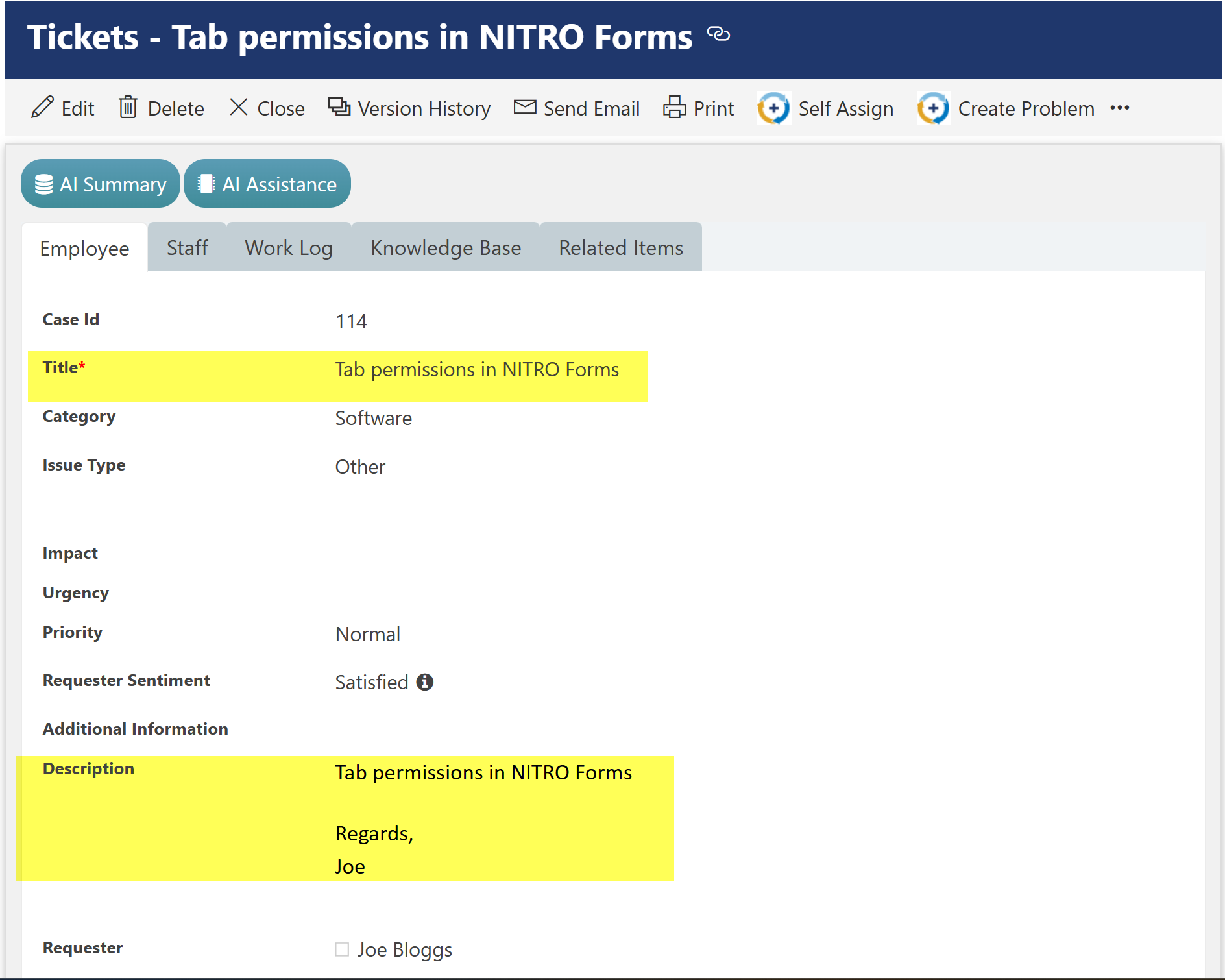
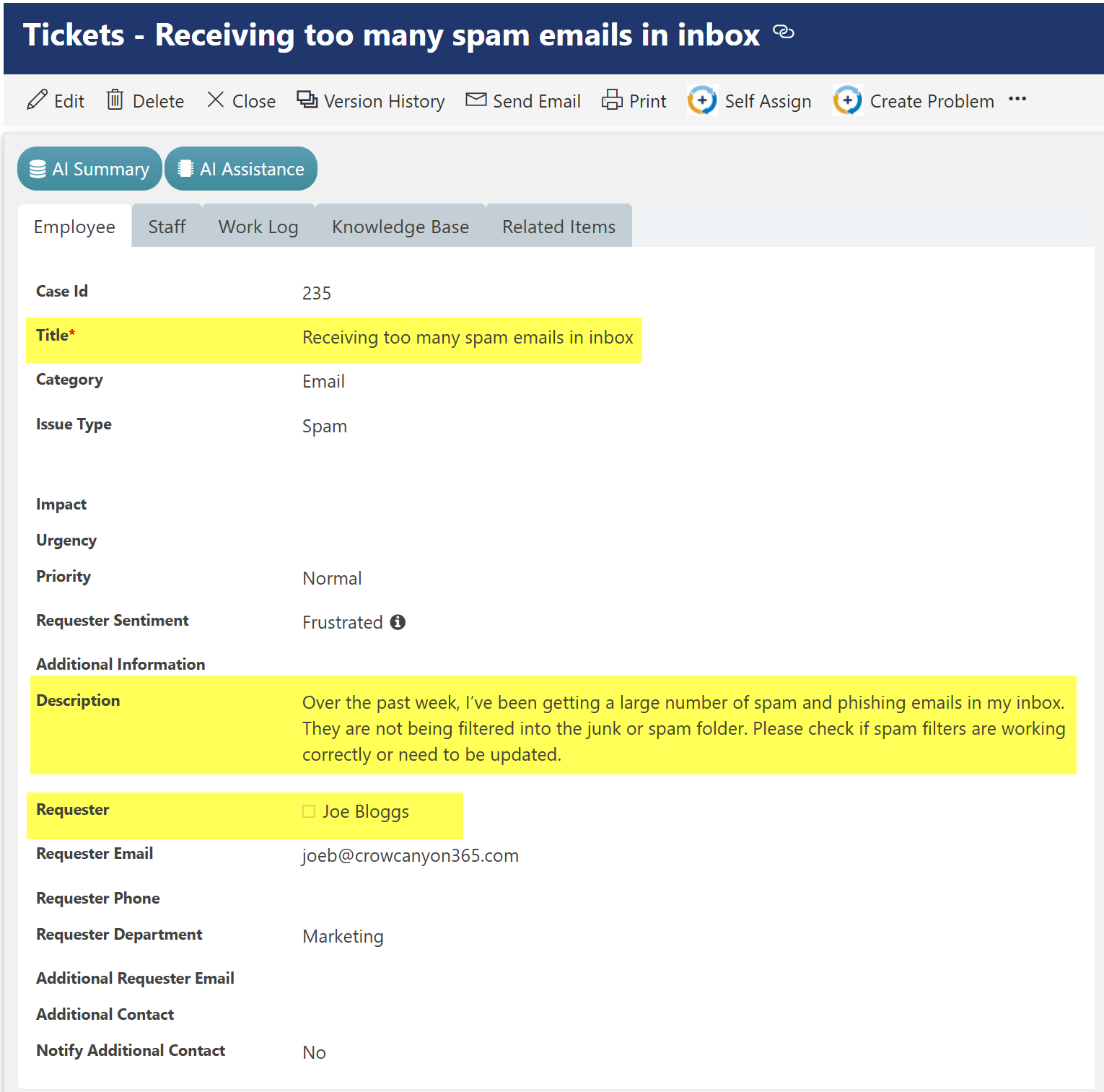
Ticket Title: Receiving too many spam emails in inbox
Description: Over the past week, I’ve been getting a large number of spam and phishing emails in my inbox. They are not being filtered into the junk or spam folder. Please check if spam filters are working correctly or need to be updated.

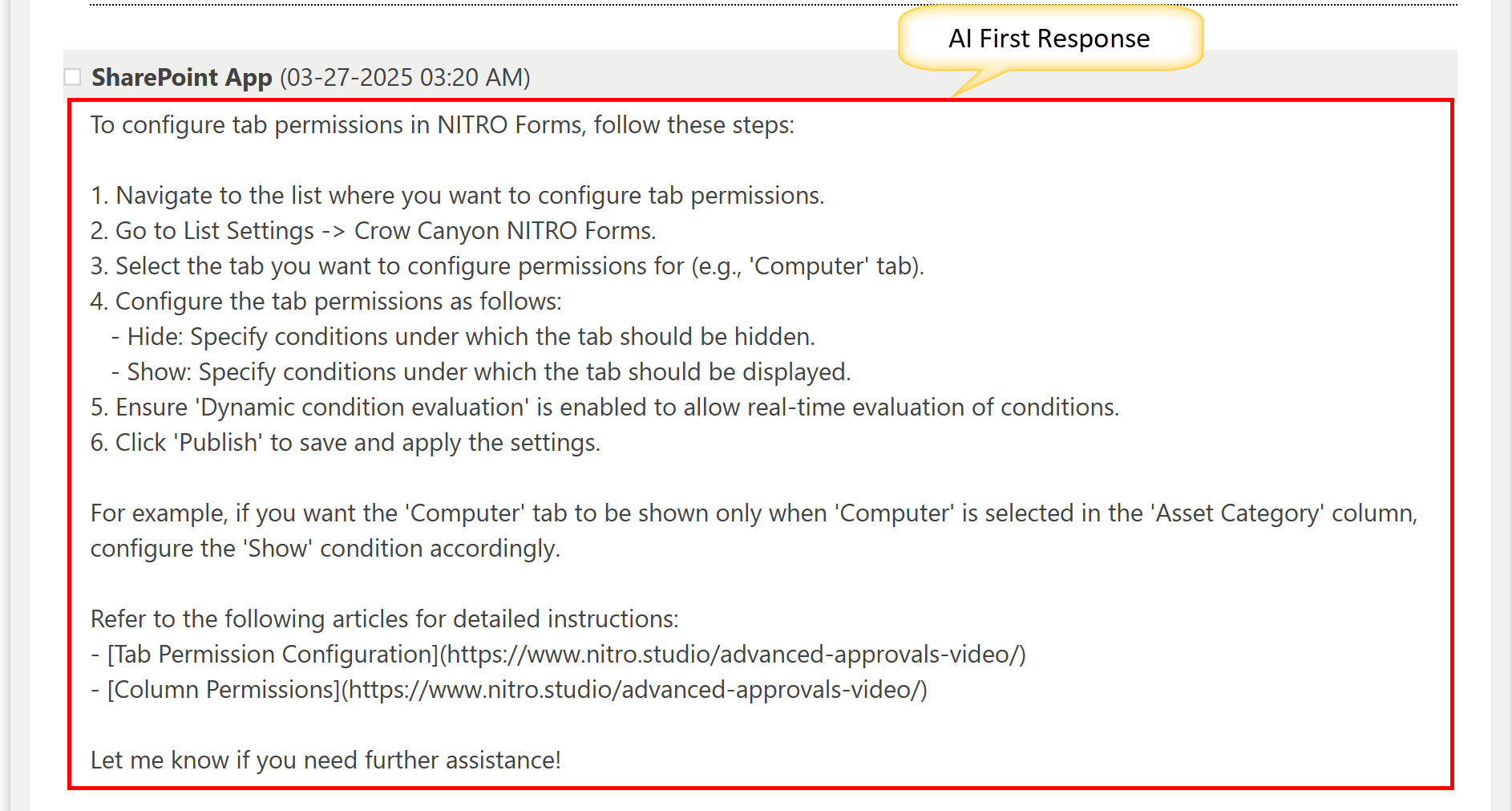
To check the first Response, send by AI:
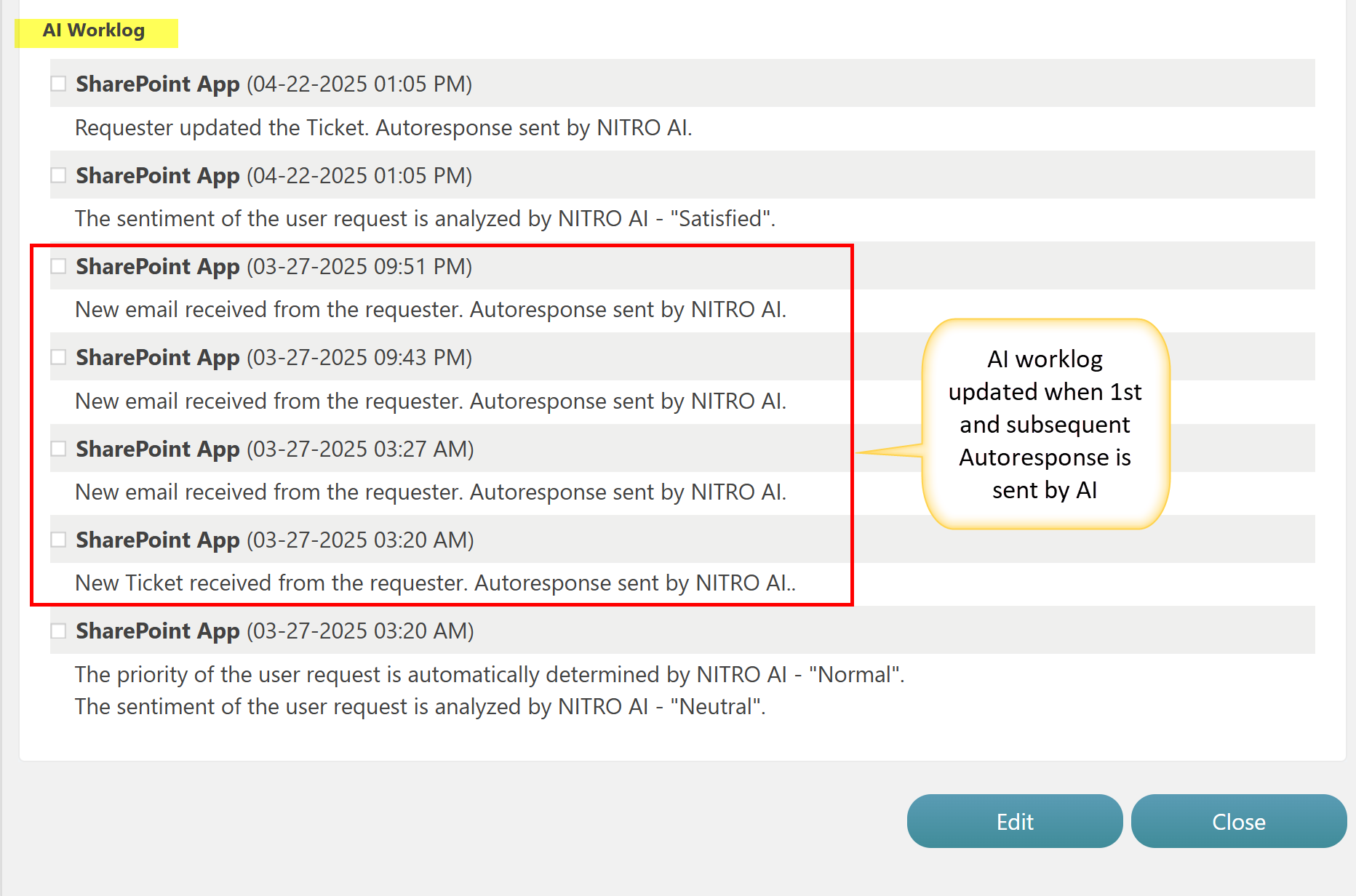
Check the AI Worklog column in the ticket to confirm that the AI-generated email was sent and that the Work Log has been updated through the auto email response.
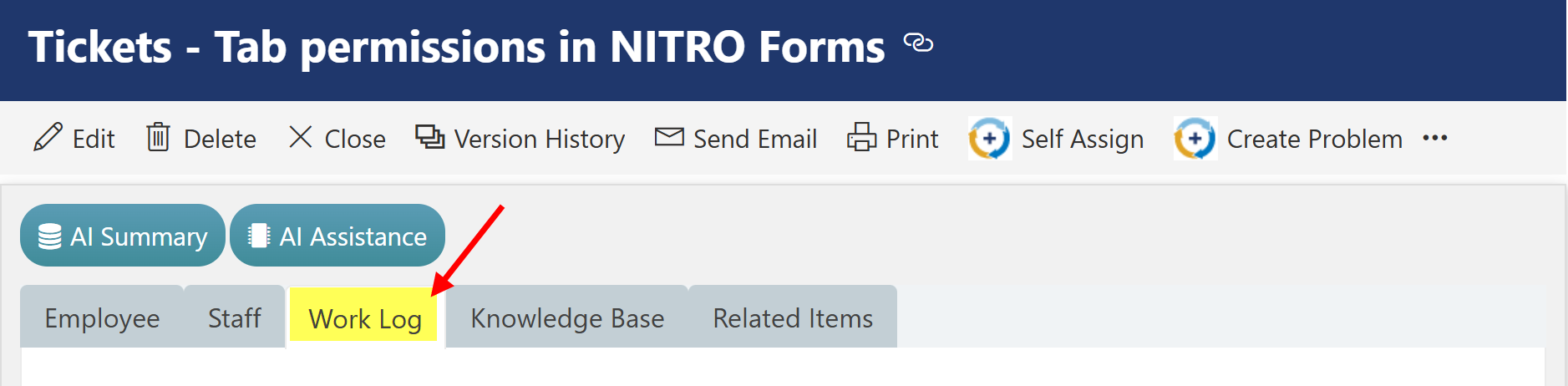
Go to ‘Work Log’ Tab in Tickets form
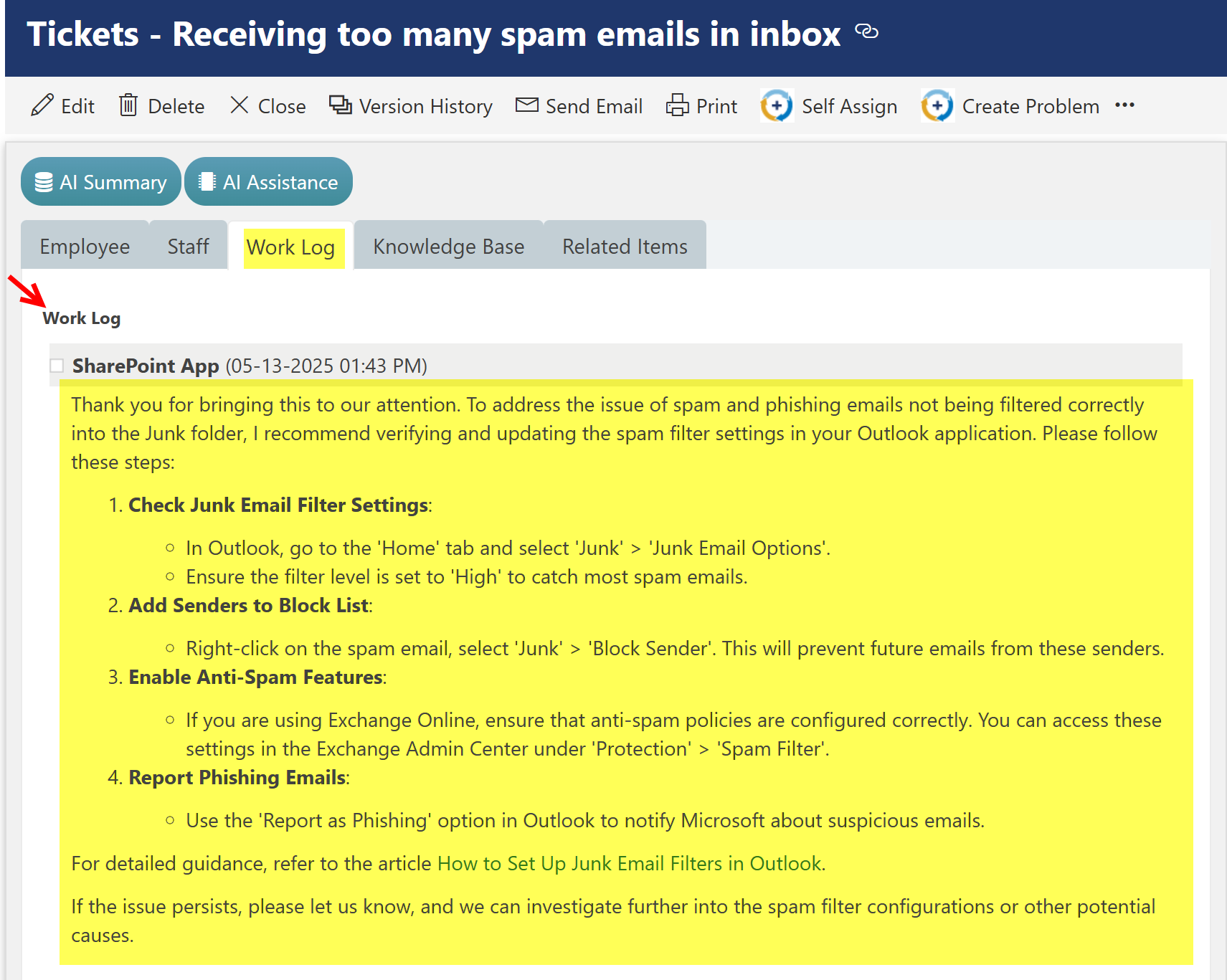
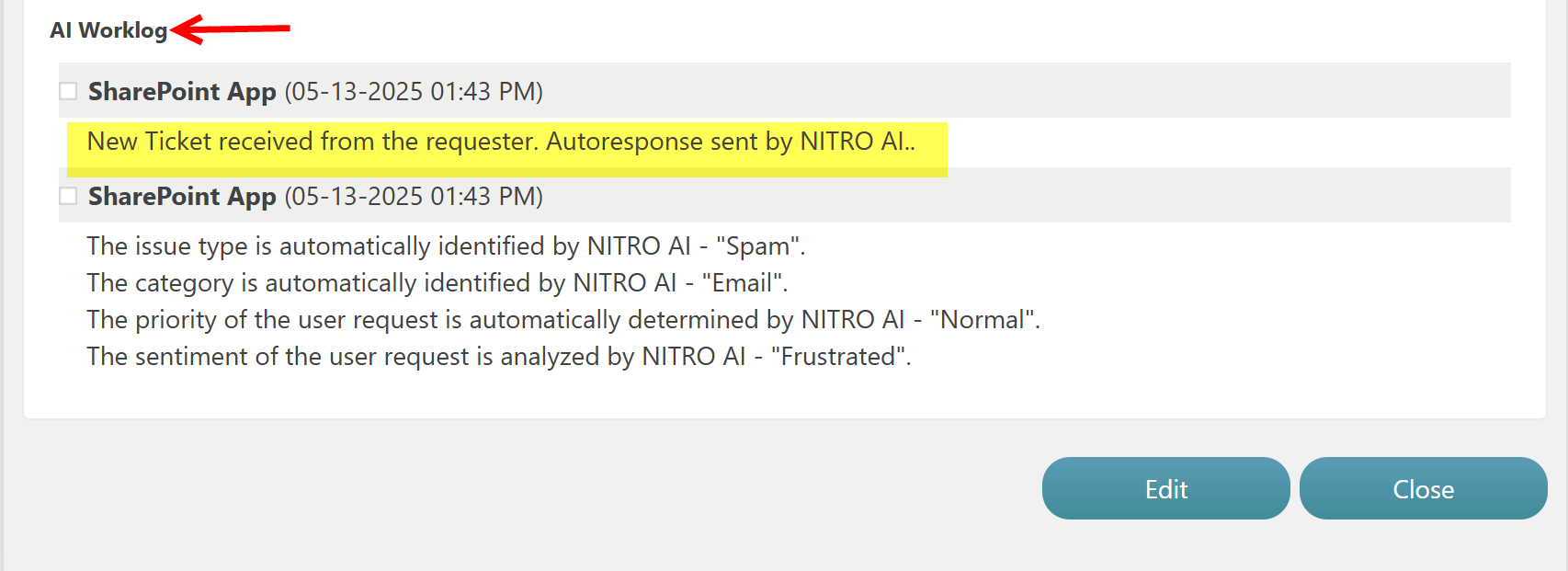
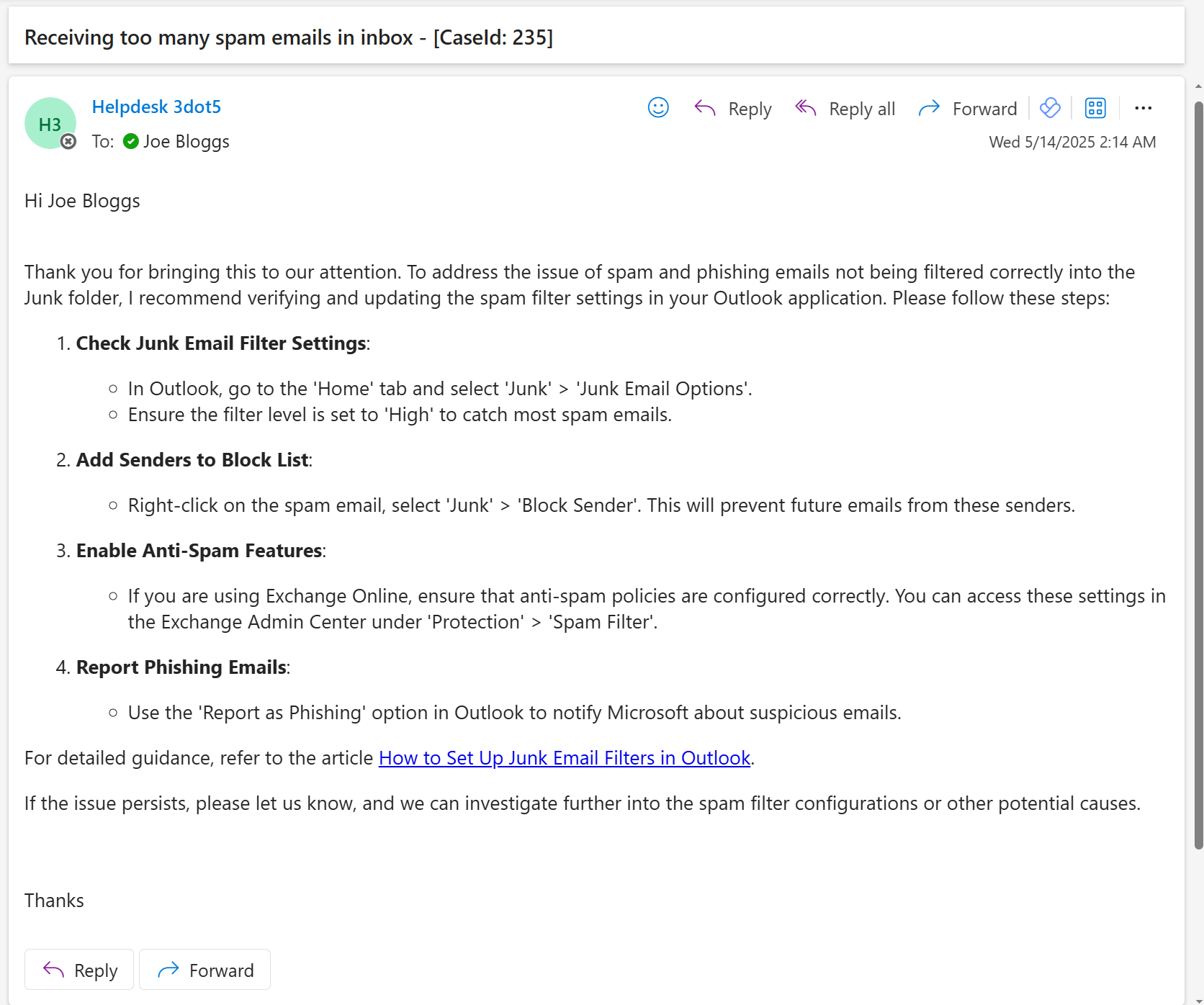
AI sent Auto Email Response to Requester: This is the First Response send by the AI
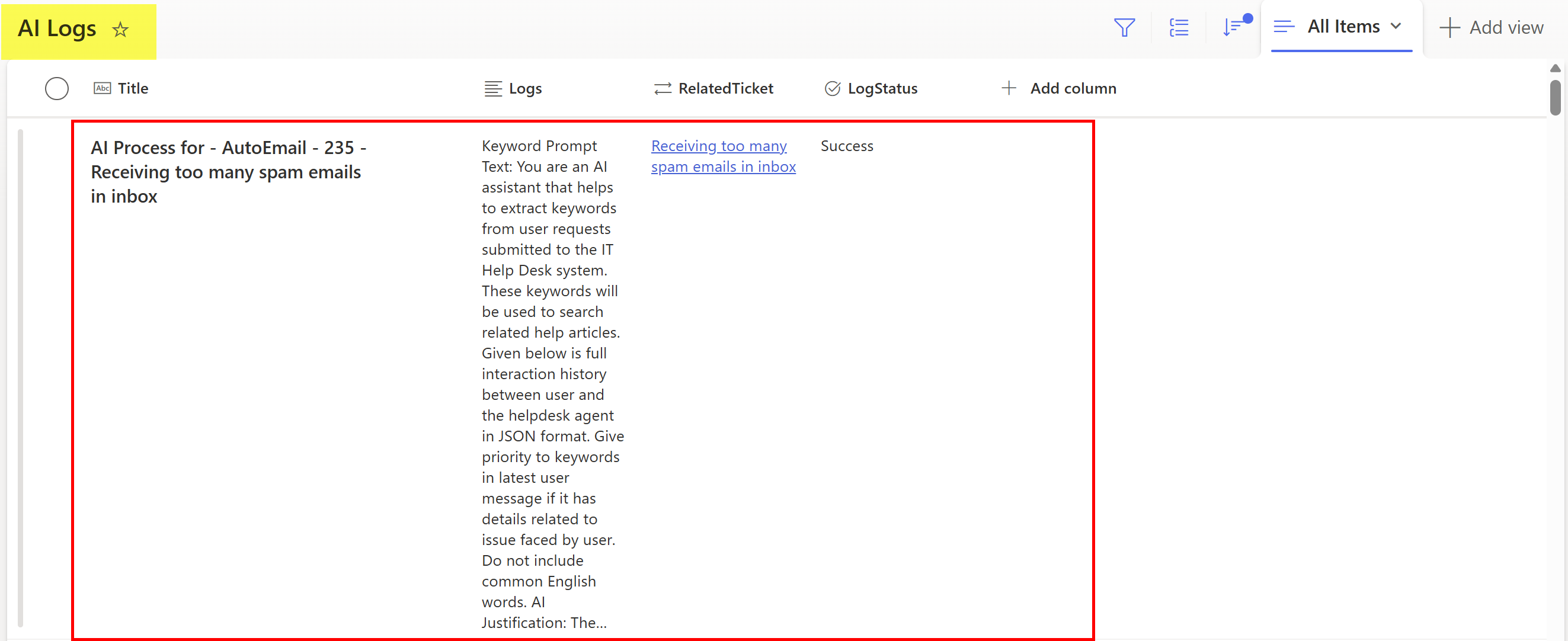
AI Log list Result for above Ticket:
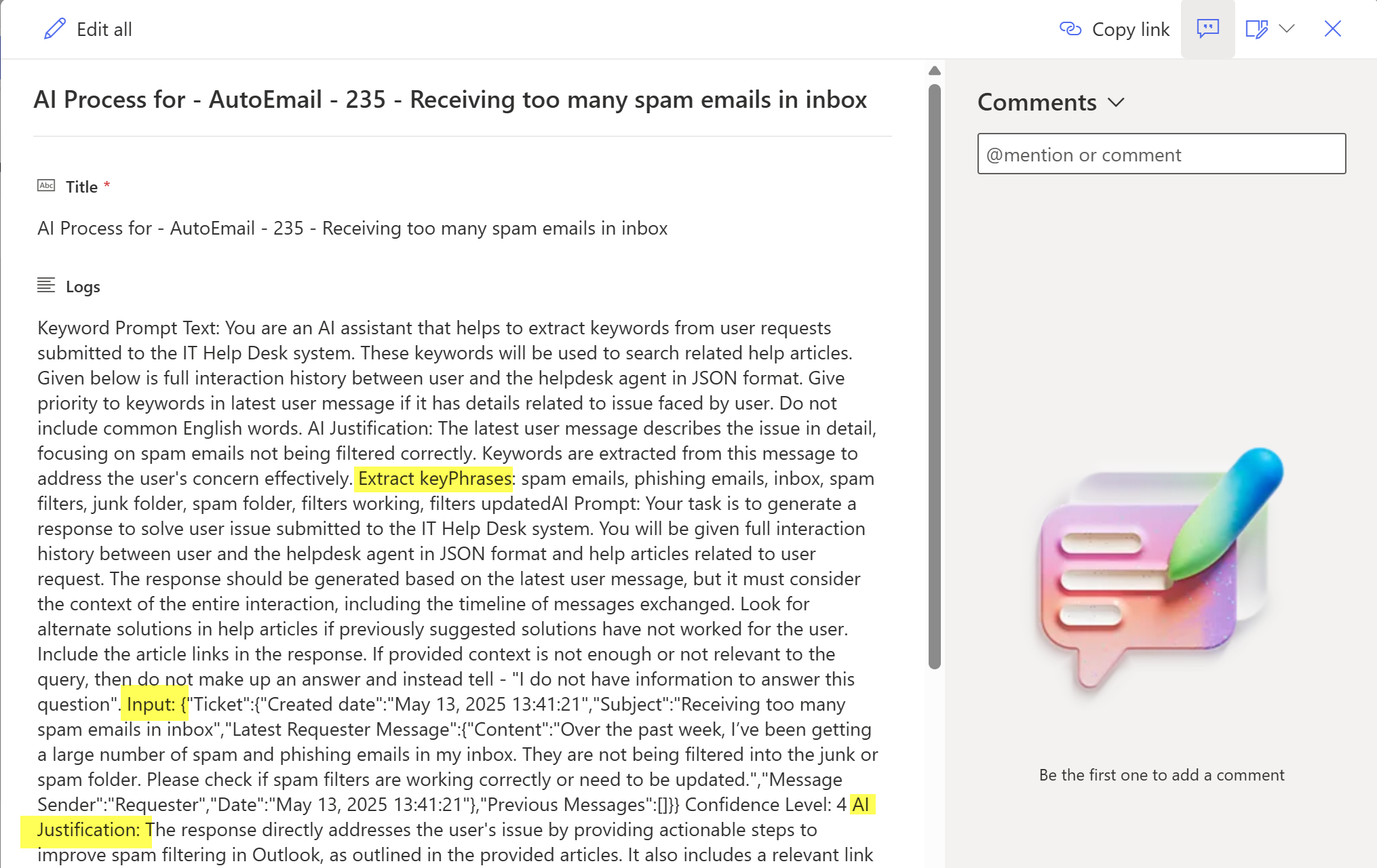
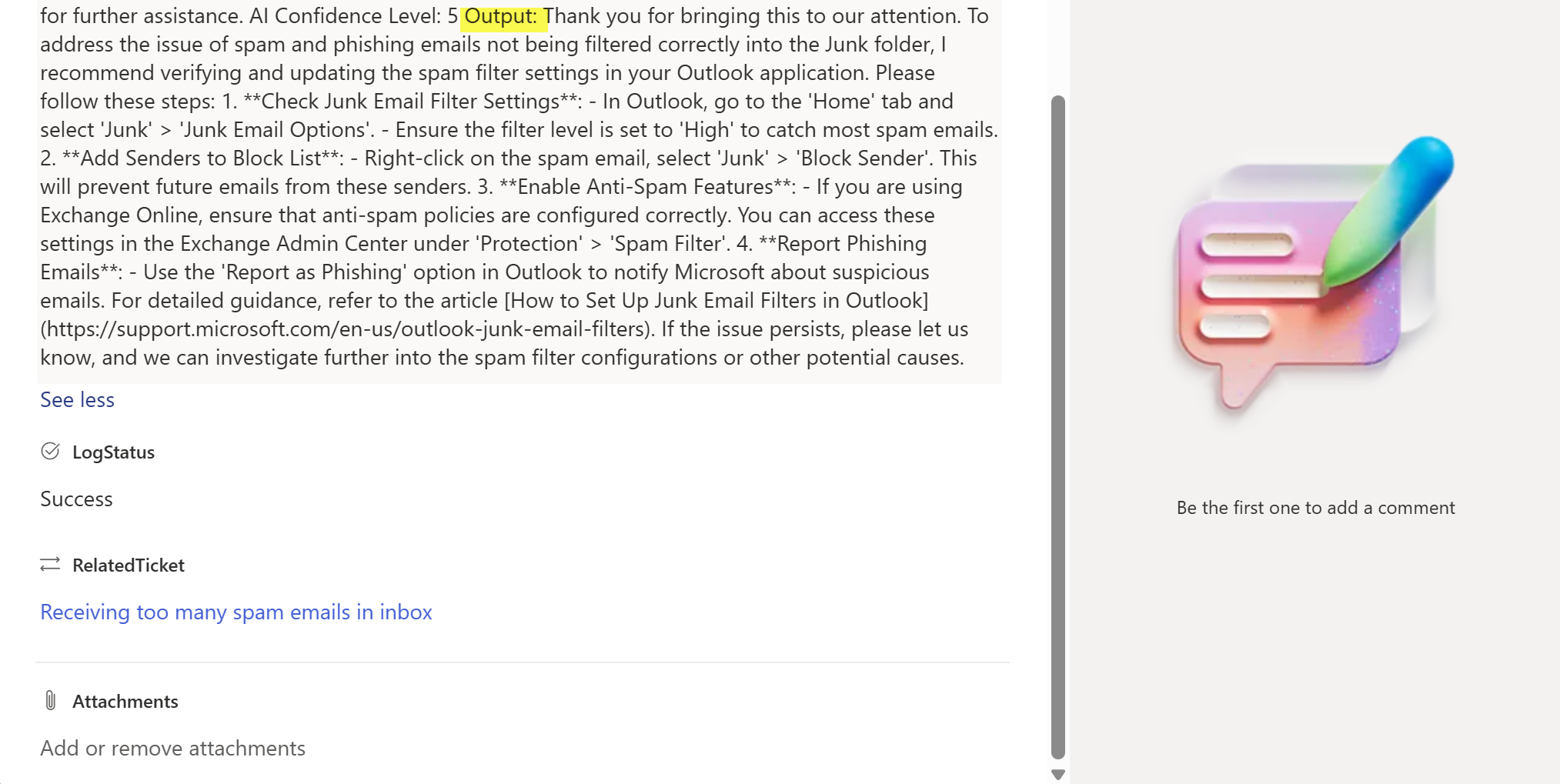
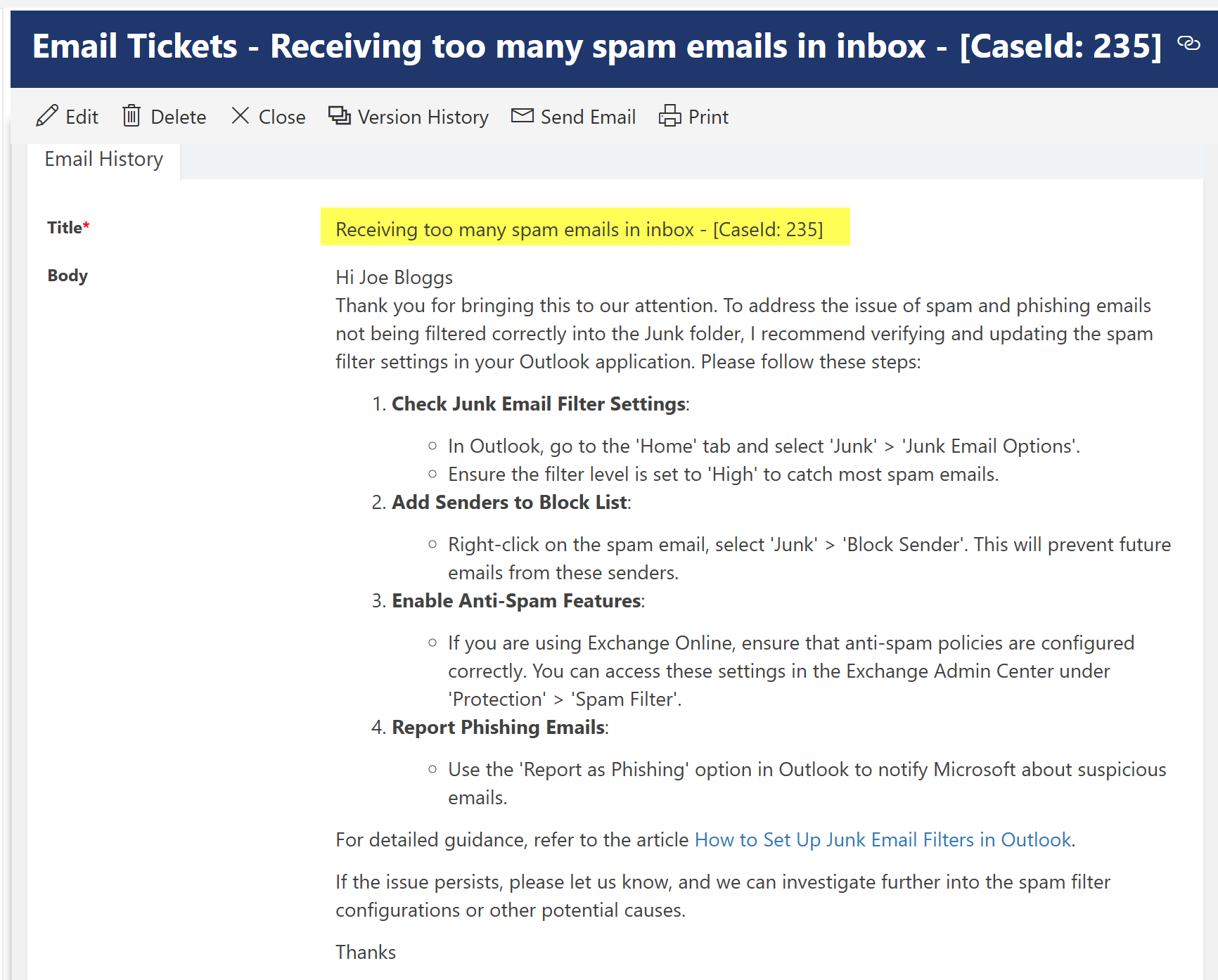
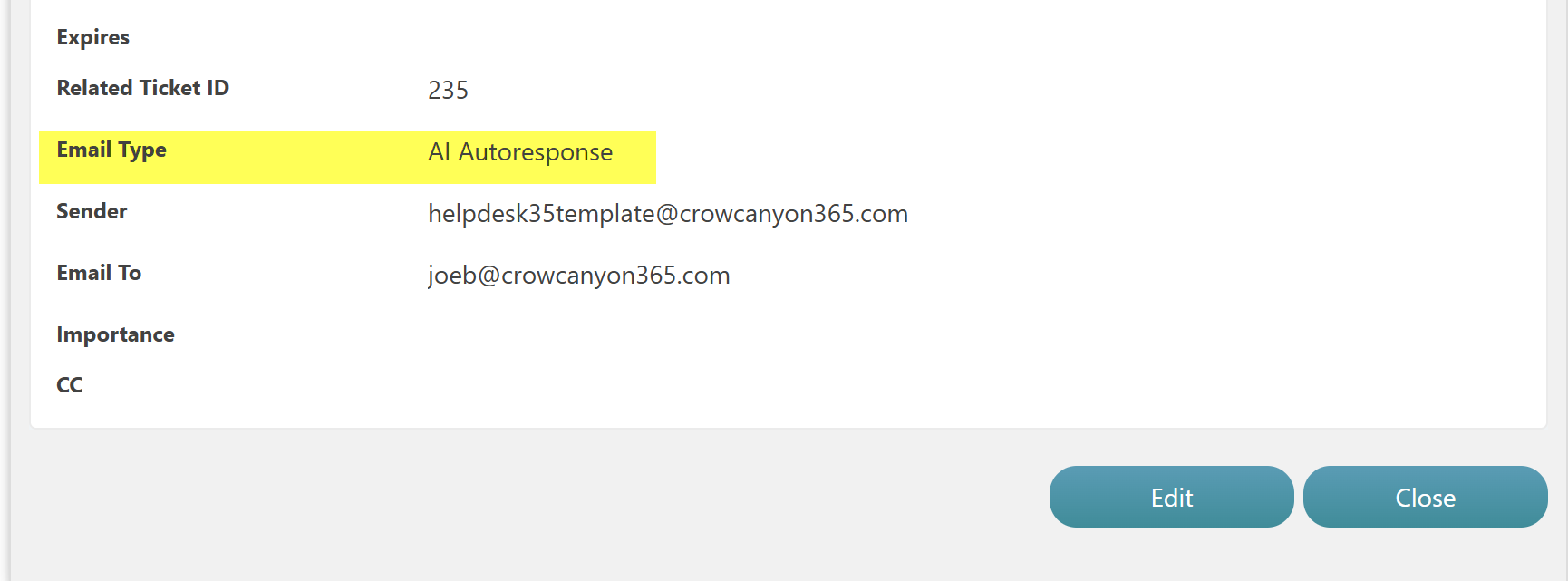
Email history is stored in the 'Email Tickets' list:

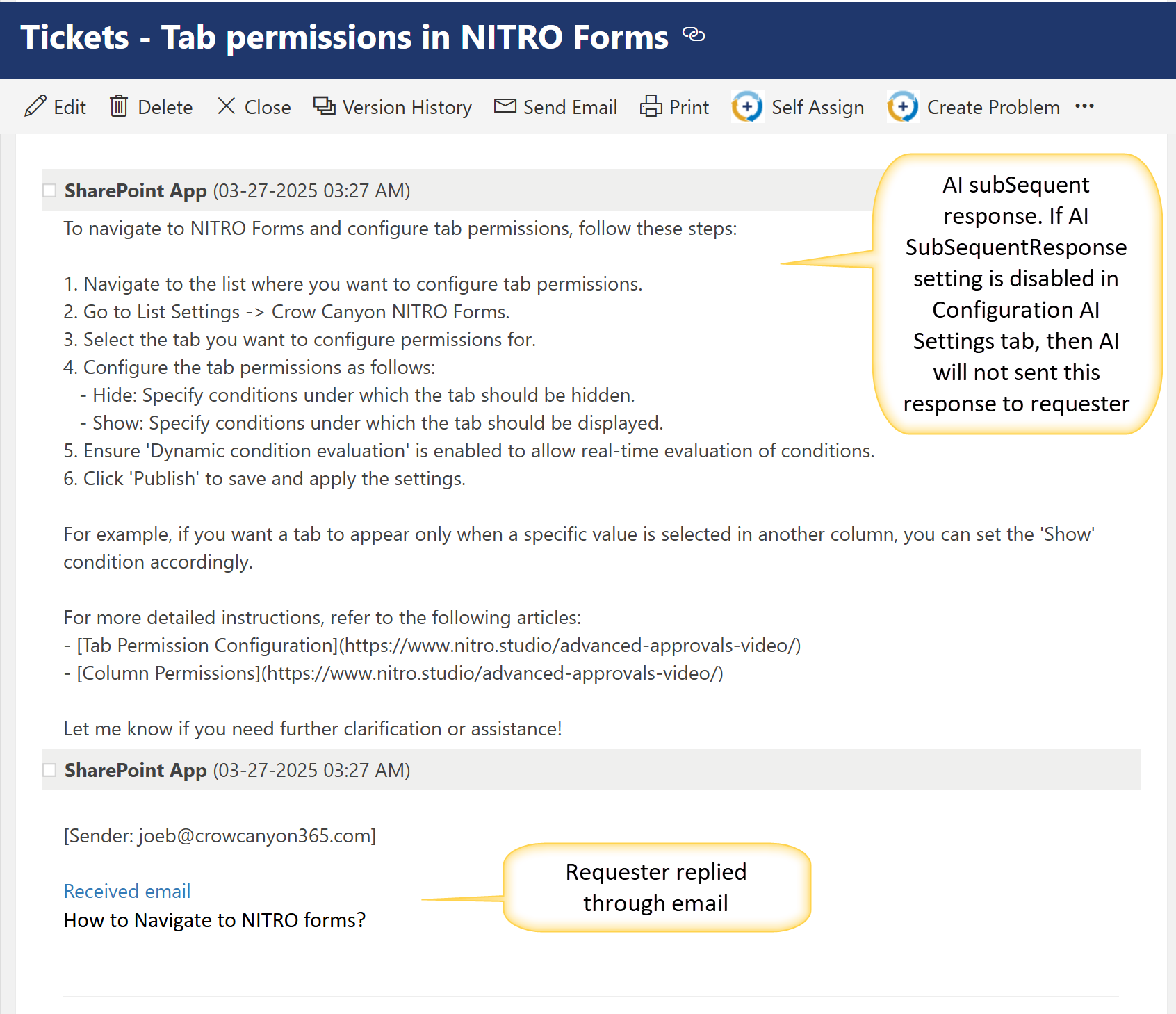
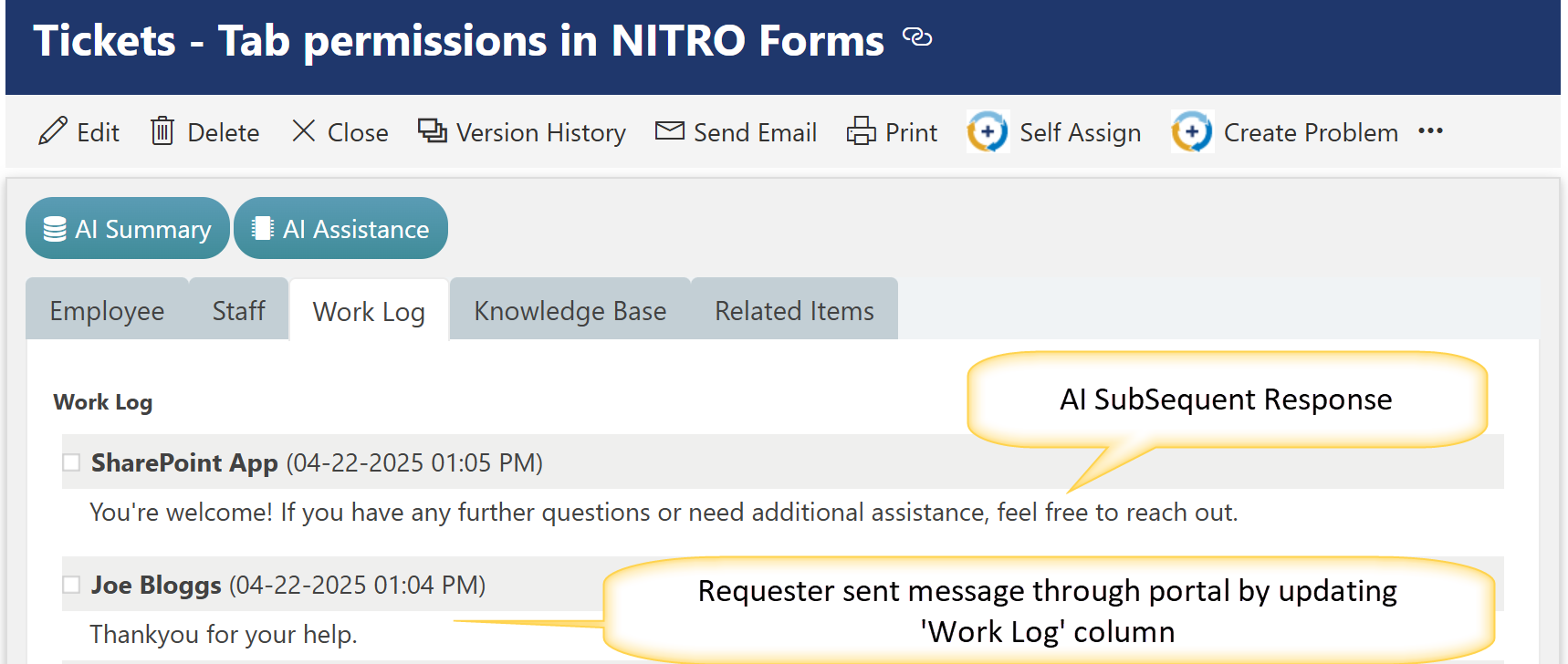
If the Subsequent Response setting is enabled, check the example below — the AI will automatically send a follow-up response based on the user's reply.